
Galaxy Buds 3 vs Galaxy Buds 4: What’s New?
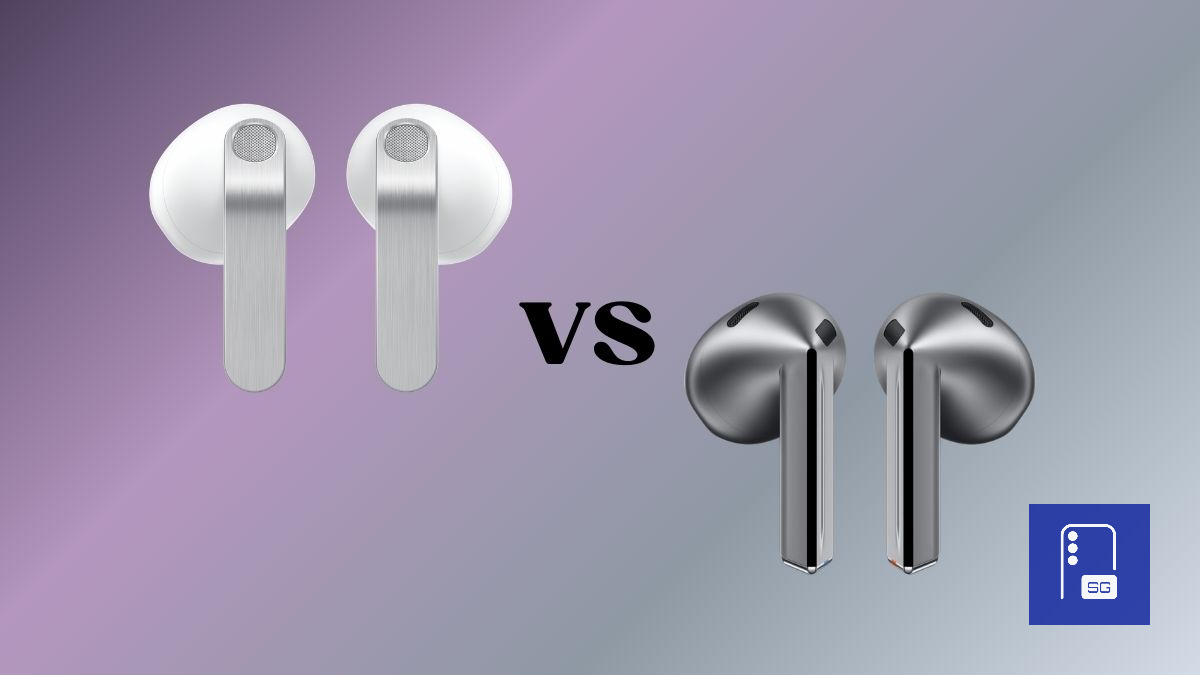
Samsung has officially unveiled the Galaxy Buds 4 series alongside the Galaxy S26 lineup. With the new generation now available, the obvious question is how the Galaxy Buds 4 stack up against the Galaxy Buds 3. If you’re thinking about upgrading or simply wondering what Samsung has improved this year, here’s a closer look at everything new and different.
Buying the Galaxy S26 series? Don’t miss out on our Mystery Box program. Each box is packed with a range of accessories, including a 65W GaN charger, USB-C earbuds, a phone case, a screen protector, a desktop stand, a cleaning kit, and many more surprises, all at no extra cost. We even cover the shipping.
Design and build: subtle, much-needed refresh
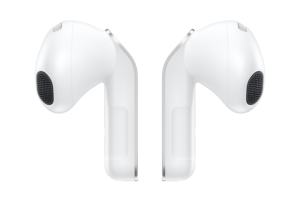
The Galaxy Buds 4 stick with the stem design introduced with the Buds 3, but Samsung has streamlined it with a slimmer, flatter shape. The tweak is subtle, yet it makes swipe and pinch gestures feel more precise than on the Buds 3, which had a more angular stem. Samsung still calls the stems blades, and they look and feel more refined this time around. Buds 4 also have a new brushed metal look on the front view of the stems.
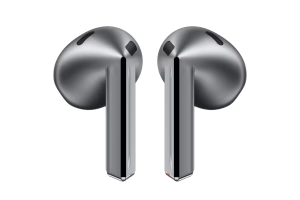
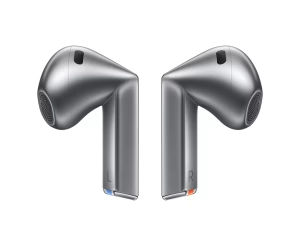
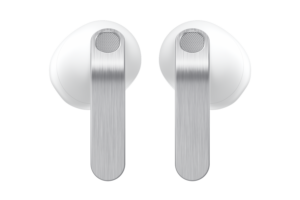
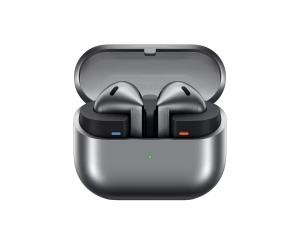
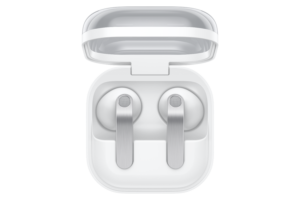
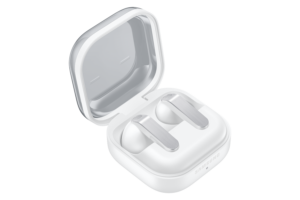
The charging case has been updated as well. It now leans closer to the Galaxy Buds 2 series design, while keeping the transparent lid so you can easily check if the earbuds are inside. The pairing button on the case can also make your phone ring and vibrate if you misplace it. The changes aren’t dramatic, but they’re useful.
Sound quality and performance
Both earbuds support Active Noise Cancellation, but Samsung has fine-tuned the Buds 4 for better clarity and balance. They also support 24-bit Hi-Fi audio when paired with compatible Galaxy devices, allowing for cleaner sound at higher quality settings. Samsung has further optimized the single driver to deliver a fuller and more refined audio experience.
Microphones and call quality
Samsung has upgraded the microphone system on the Buds 4 compared to the Buds 3. Both models use multiple microphones and voice pickup units, but the newer pair is designed to deliver clearer call quality and more reliable voice recognition.
Users should notice reduced wind and background noise, along with more accurate voice capture during calls and while using voice assistants. The Buds 3 already offered solid call performance, but the Buds 4 are expected to sound more consistent and dependable in everyday use.
Battery life
Battery life remains unchanged between the two generations, at least on paper. Both offer up to 6 hours of playback without ANC and up to 5 hours with ANC enabled. With the charging case, total battery life reaches up to 30 hours without ANC and up to 24 hours with ANC on.
Interestingly, the Buds 4 have a slightly smaller battery than the Buds 3, yet Samsung claims the same overall endurance. That suggests efficiency improvements are helping offset the reduced capacity.
Active Noise Cancellation and Ambient Sound
Both models support Active Noise Cancellation, but the Buds 4 are expected to deliver stronger ANC, even without silicone ear tips like the Buds 4 Pro. Samsung has improved the tuning, so noise reduction should be more effective than on the Galaxy Buds 3.
The bigger upgrade is the addition of a proper Ambient Sound mode, which the Buds 3 lacked. Ambient Sound lets you hear your surroundings without removing the earbuds, making it easier to commute, walk through busy areas, or have quick conversations. That alone makes the Buds 4 more practical for daily use than their predecessor.
New head gesture controls
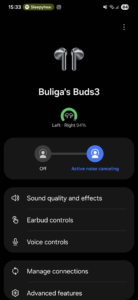
With the Galaxy Buds 4, Samsung introduces Head Gestures. You can nod or shake your head to answer or reject calls, or respond to yes or no questions from Bixby. Head Gestures also work for dismissing alarms, calendar events, reminders, and read-aloud notifications, adding a hands-free layer of control.

Improved connectivity
Another under-the-radar but meaningful upgrade is Bluetooth 6.1 support on the Galaxy Buds 4. The Buds 3 relied on Bluetooth 5.4. The newer standard should improve connection stability, reduce latency, and enhance power efficiency.
In everyday use, that translates to smoother device switching and more reliable pairing, especially within the Galaxy ecosystem. It is not a flashy feature, but it improves the overall experience.
IP rating: a downgrade
Here’s the one clear downgrade, and something I am not a big fan of. The Galaxy Buds 3 carried an IP57 rating for dust and water resistance, while the Galaxy Buds 4 dropped to IP54. Samsung has lowered the official protection level this time.
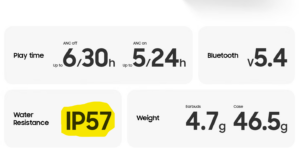
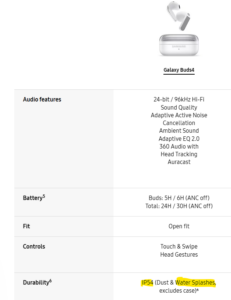
IP54 still covers sweat and light splashes, so they are fine for workouts and everyday use. However, they are not as rugged as the Buds 3, especially in tougher outdoor conditions or around heavier water exposure. If you frequently use your earbuds near water, that is something to keep in mind.
Final thoughts
The Galaxy Buds 4 are not a major leap forward, but the improvements add up. Ambient Sound mode, upgraded microphones, smarter controls, and a more refined design make them a noticeably better everyday option than the Buds 3. They feel more complete overall.
That said, specs only tell part of the story. We’ll be spending more time with the Galaxy Buds 4 in real-world conditions and testing them over a longer period. Stay tuned for our full, in-depth review.
Buying the Galaxy S26 series? Don’t miss out on our Mystery Box program. Each box is packed with a range of accessories, including a 65W GaN charger, USB-C earbuds, a phone case, a screen protector, a desktop stand, a cleaning kit, and many more surprises, all at no extra cost. We even cover the shipping.

Follow us on Google Discover & set us as a preferred source in Google News
Share this Post
___________________________


New Blog Posts
___________________________

First Set of Pixel 11 Pro XL Renders Are Here
Pixel 11 Pro XL CAD renders show minimal design changes

Is Samsung Preparing One UI 8.5 Beta for Galaxy Z Fold 5 and Flip 5?
Samsung may launch a One UI 8.5 beta program for its 2023 foldables

Galaxy S25 One UI 8.5 Beta May Run Longer Than Expected
Galaxy S25 series’ One UI 8.5 beta may stretch to 10 rounds


