
Exclusive: Here’s What’s Changing in Samsung My Files in One UI 8.5
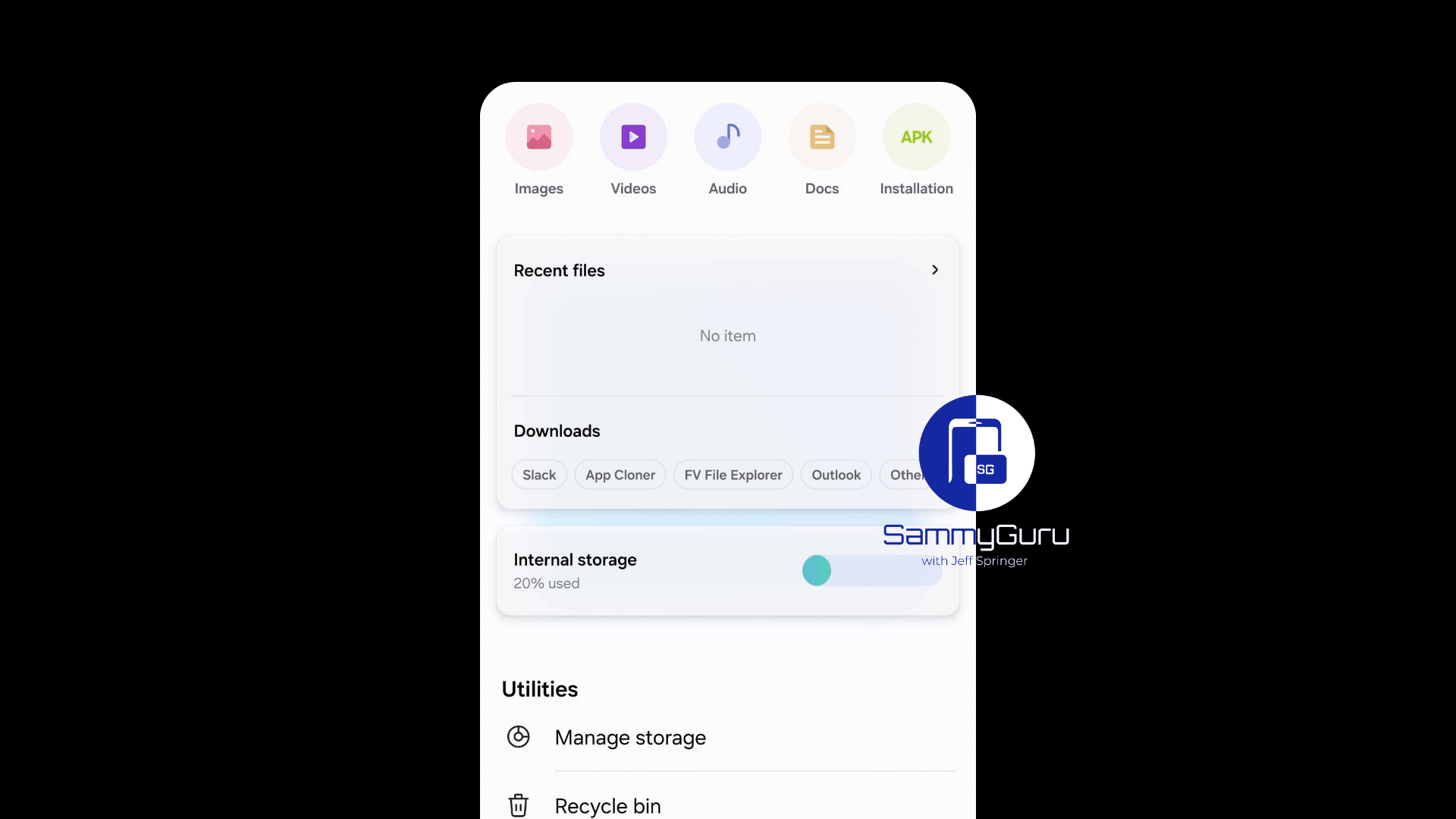
The Samsung My Files app seems to be getting a major redesign in the upcoming One UI 8.5 update. A leaked build reveals that Samsung is working on a refreshed version of its File manager. The new design focuses on usability, one-handed navigation, and a cleaner, more modern interface.
Here’s your first look at My Files app in One UI 8.5
One of the first changes you’ll notice in the My Files app is the return of circular categories. In One UI 8, Samsung switched to pill-shaped buttons, but in One UI 8.5, the familiar round icons make a comeback. The redesign also gives the recent files and downloads card a fresh look that matches the new style.
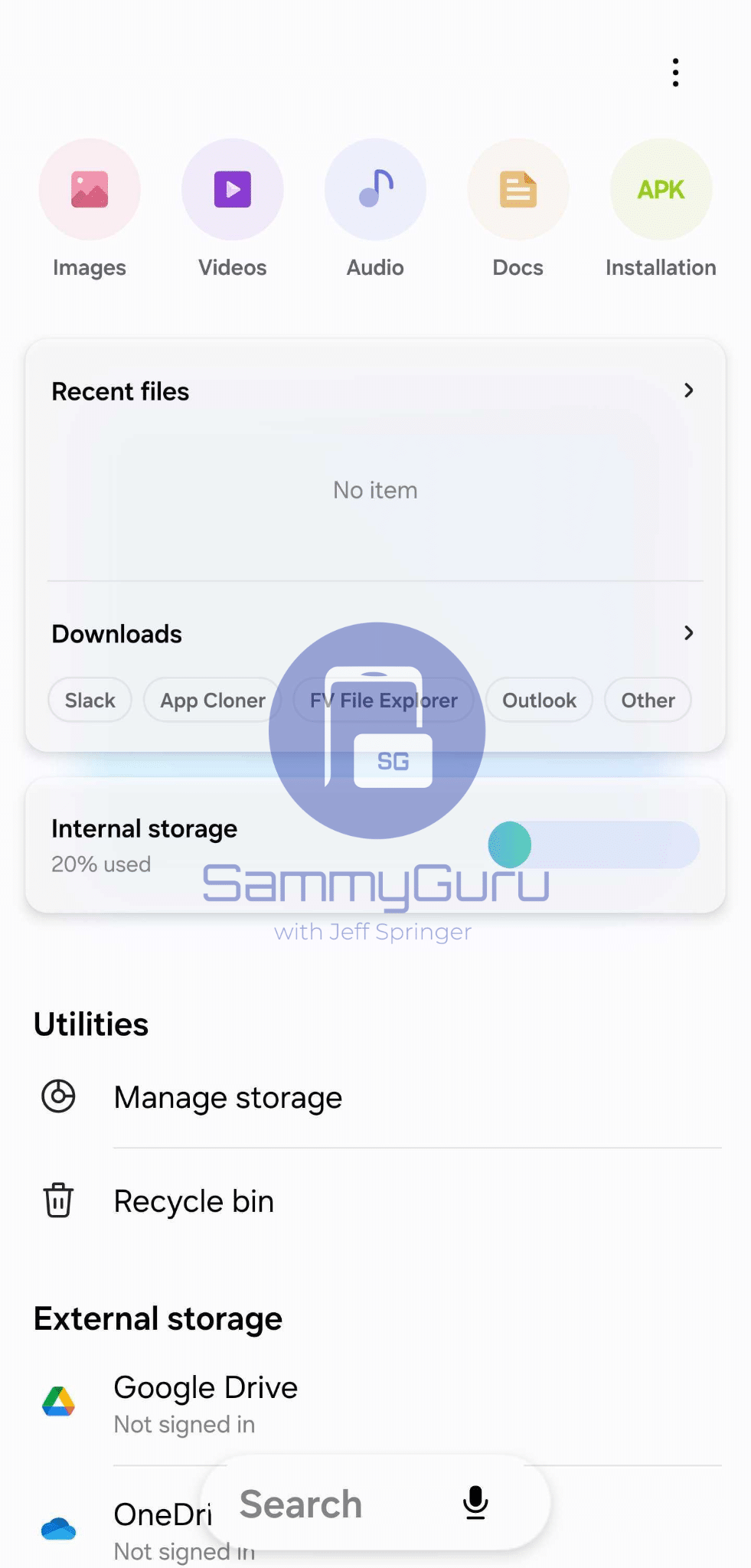
Internal storage becomes a separate category
In the leaked Samsung My Files update, Samsung highlights internal storage as its own category. The storage usage pill remains part of the interface, but instead of showing the exact amount of used space, it now displays a percentage. This makes it easier for users to get a quick overview of their storage status at a glance.
Search bar moves to the bottom for one-handed use
Samsung is also improving navigation in One UI 8.5. The My Files app now places the search bar at the bottom of the screen, making it easier to reach with one hand. This design choice shows how Samsung stays true to the original vision of One UI, which focuses on comfortable one-handed use on large displays.
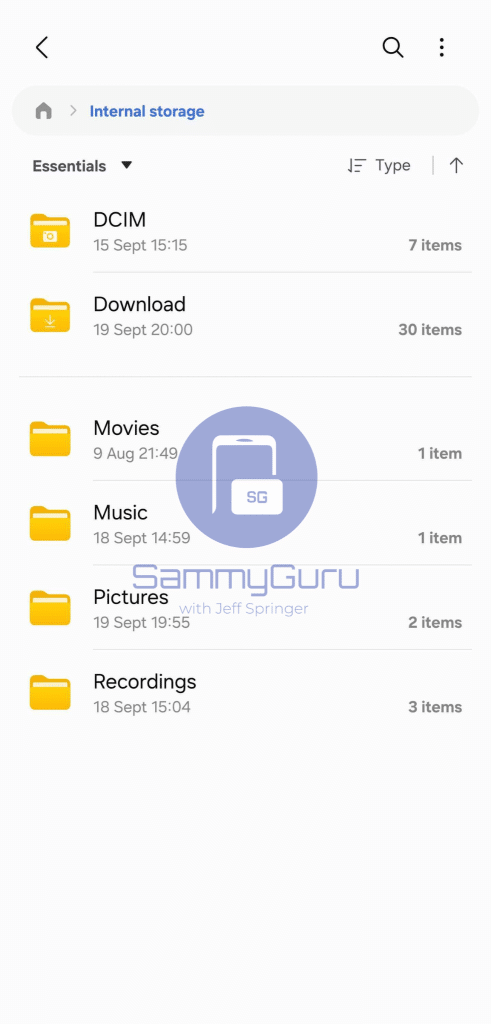
Fresh yellow folder icons and new path design
Digging deeper into the new Samsung My Files design, another visual change stands out: the folder icons are yellow again. Previous versions used a blue/gray tone, but the return of the classic yellow color gives the app a fresher, more recognizable look. The app now displays the full folder path inside a pill-shaped element, creating more consistency across the interface.
It’s clear that this leaked version of Samsung My Files in One UI 8.5 is not final. The app is not fully stable yet, and Samsung will likely continue to fine-tune the design before rolling out the official update. Still, this early build provides a fascinating glimpse of what’s coming next for Samsung’s stock apps.
If you plan to buy a Galaxy S26 Pro, S26 Edge, or S26 Ultra, our Mystery Box program is live. You can sign up now to score a free box containing a bunch of exciting goodies. Each box includes a case, screen protector, cleaning kit, phone stand, a 65W charger, and more freebies.

Follow us on Google Discover & set us as a preferred source in Google News
Share this Post
___________________________


New Blog Posts
___________________________

First Set of Pixel 11 Pro XL Renders Are Here
Pixel 11 Pro XL CAD renders show minimal design changes

Is Samsung Preparing One UI 8.5 Beta for Galaxy Z Fold 5 and Flip 5?
Samsung may launch a One UI 8.5 beta program for its 2023 foldables

Galaxy S25 One UI 8.5 Beta May Run Longer Than Expected
Galaxy S25 series’ One UI 8.5 beta may stretch to 10 rounds


