
How to Create Large App Folders on Your Galaxy Homescreen
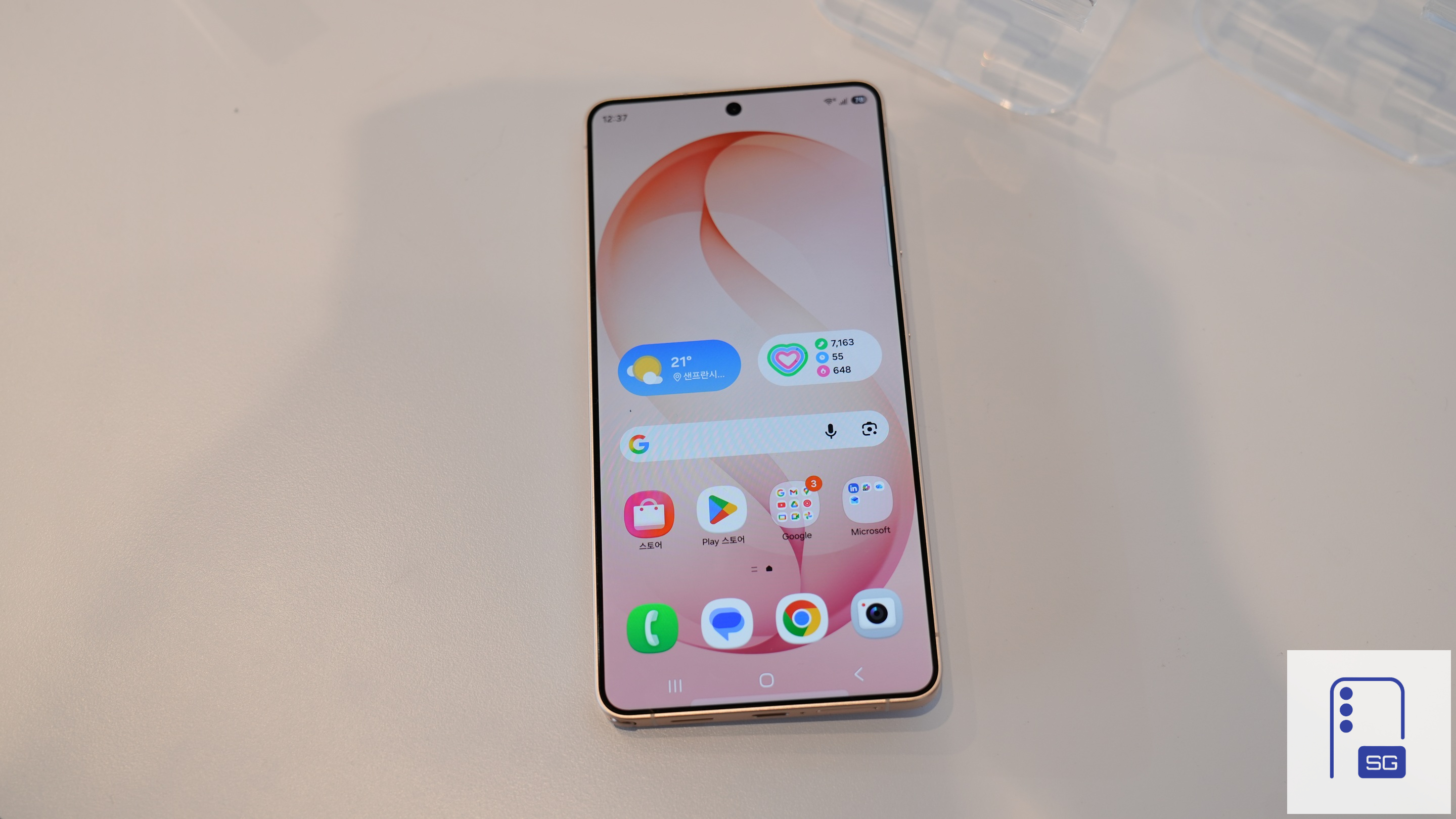
Samsung’s One UI is one of the most feature-rich and customizable Android skins available, and the Good Lock suite takes that flexibility even further. Its Home Up module, which focuses on home screen tweaks, has recently gained new features. You can now create larger folders for better app organization. Here’s how to set it up.
Create large folders on your Galaxy homescreen to organize apps
Starting with One UI 7, Samsung has added several new features to Home Up. One UI 8.5 introduced new customization options for large folders, allowing users to go beyond the default presets and fine-tune both the size and visual style of folders on the home screen. You can tweak transparency levels and freely resize large folders without any limitations, making it easier to match your layout exactly the way you want.
To access these features, your device needs to be running One UI 8.5. Once you have the update (Galaxy S26 series runs One UI 8.5 out of the box), follow the steps below to set things up.
- Install Good Lock from the Galaxy Store
- Open the app and download the Home Up module
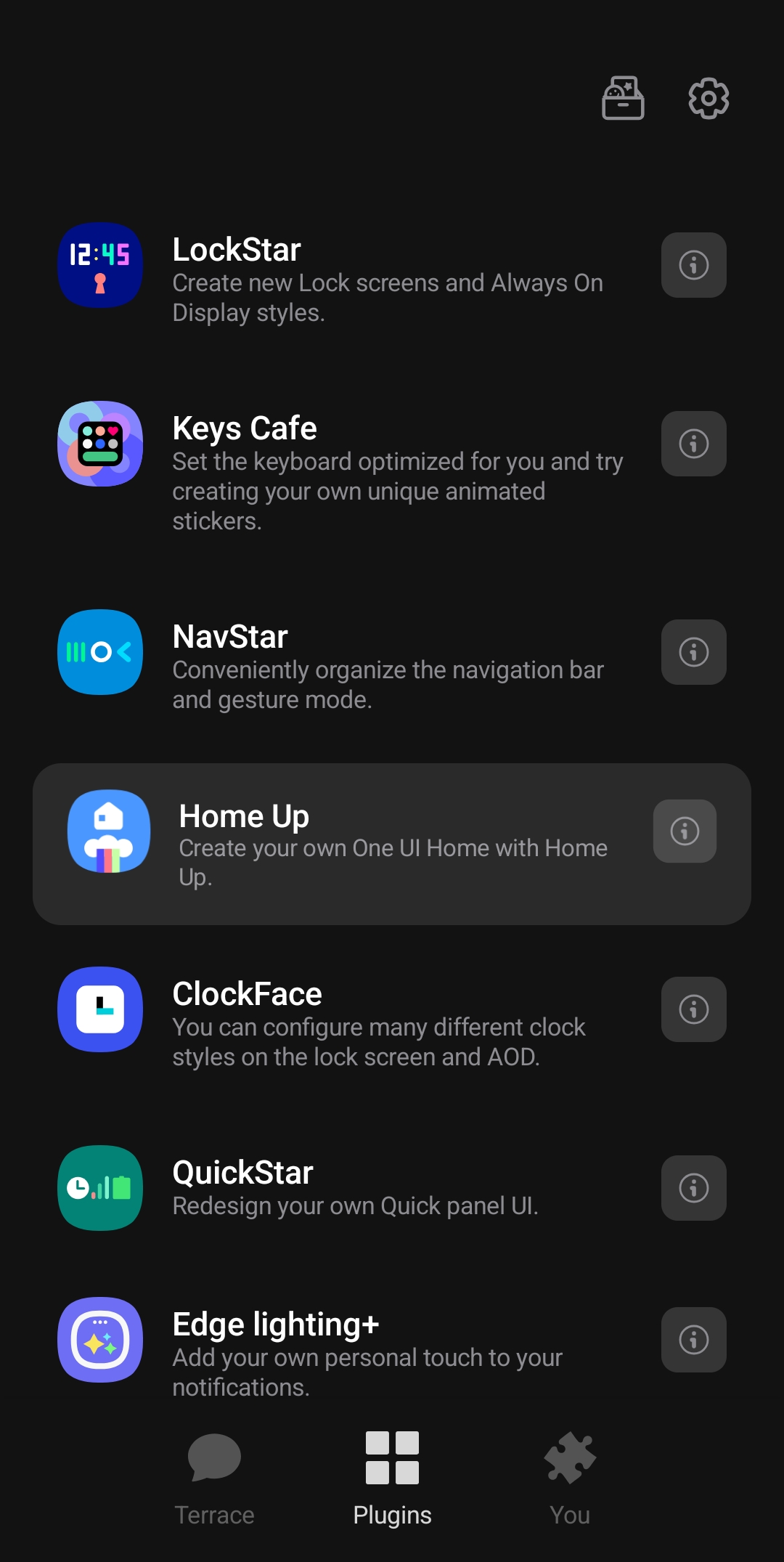
- Open Good Lock > go to the Plugins tab > tap Home Up
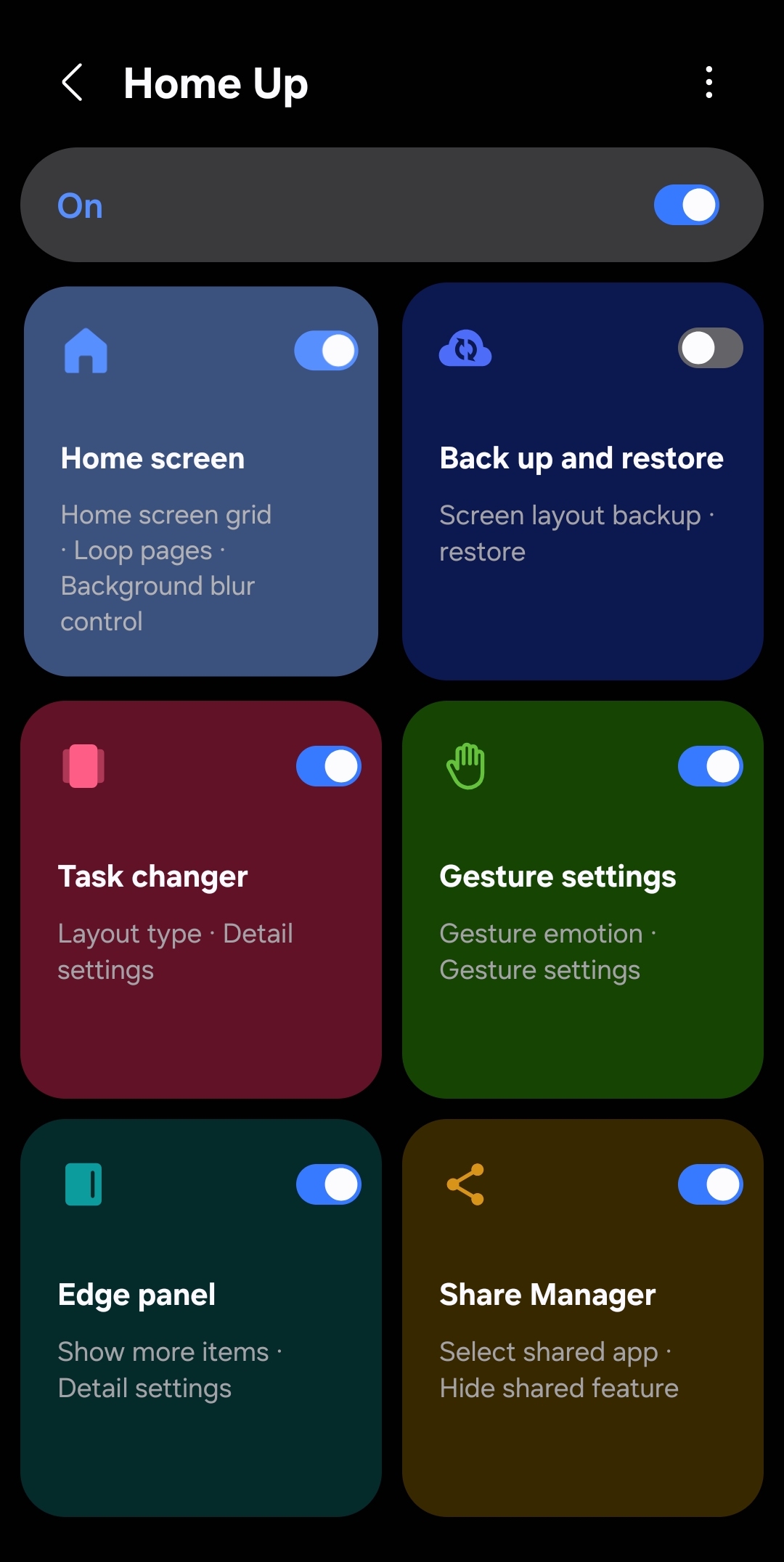
- Enable the toggle at the top
- Tap Home screen > select Large folder > turn it on
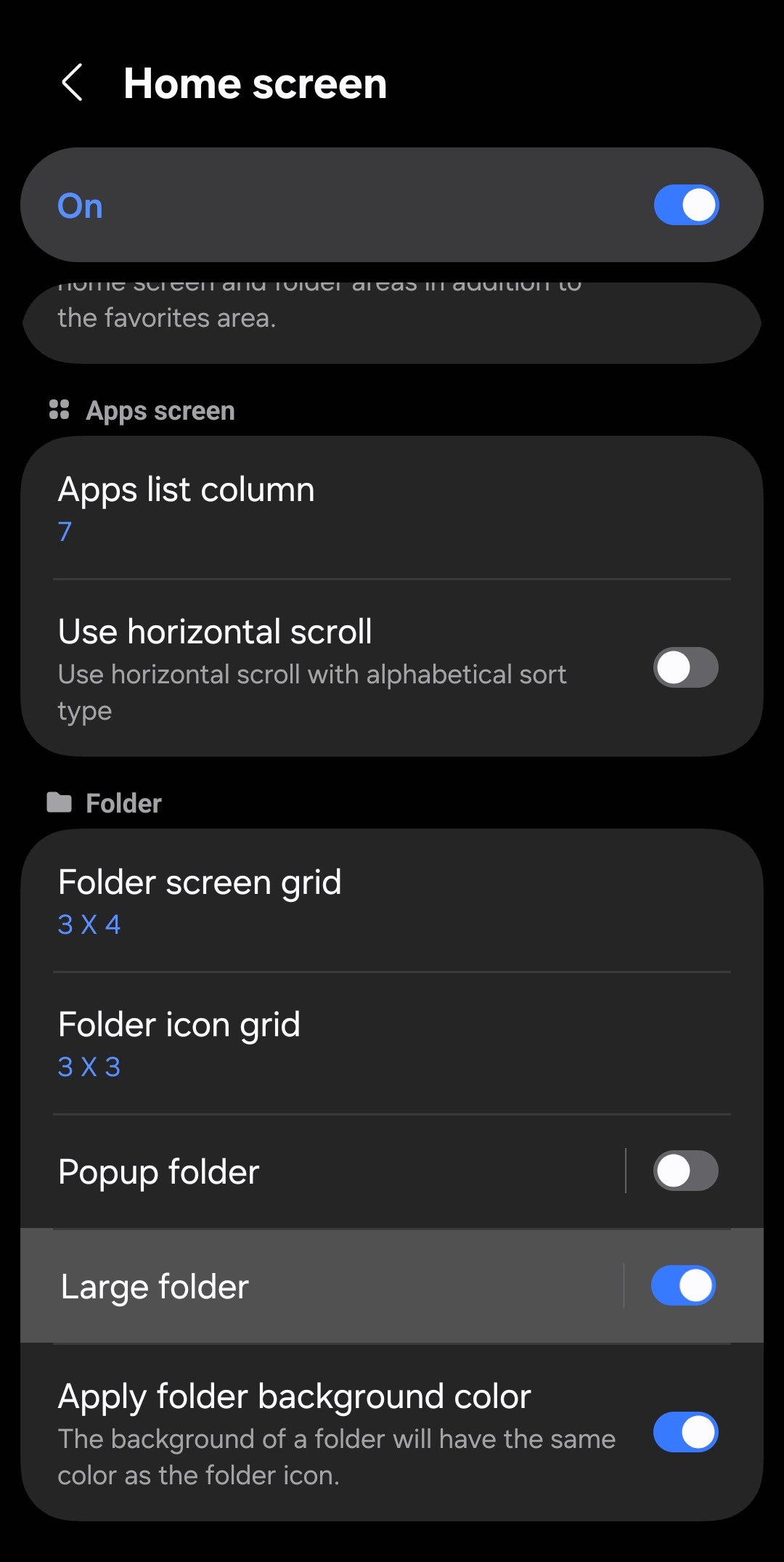
Once enabled, you’ll see three size options: Medium (default), Large, and Custom. Choosing Custom unlocks full resizing. Just long-press a folder on your home screen and drag its edges to adjust its size, similar to resizing widgets. Home Up also lets you:
- Adjust the size of app icons inside large folders
- Remove or reduce the background blur effect
- Enable scrolling within folders
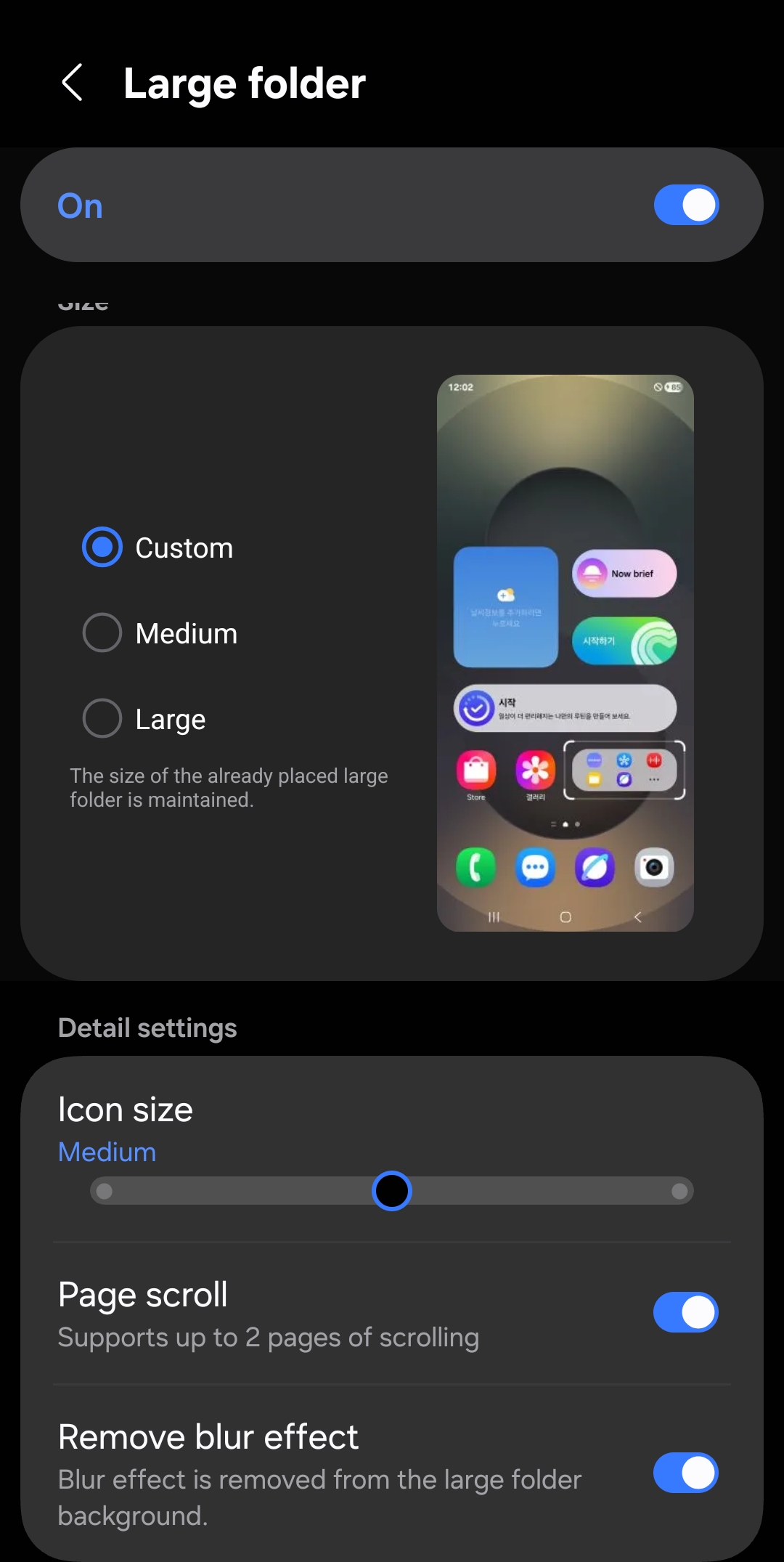
Moreover, large folders can now support up to two pages, making it easier to organize more apps without cluttering your home screen. You can simply swipe within the folder to access additional apps, reducing the need to open multiple folders.
For anyone who likes to fine-tune their home screen layout, the new large folder options in One UI 8.5 are a welcome upgrade. And it’s another reminder of why One UI remains one of the most customizable Android interfaces available.

Follow us on Google Discover & set us as a preferred source in Google News
Share this Post
___________________________


New Blog Posts
___________________________

First Set of Pixel 11 Pro XL Renders Are Here
Pixel 11 Pro XL CAD renders show minimal design changes

Is Samsung Preparing One UI 8.5 Beta for Galaxy Z Fold 5 and Flip 5?
Samsung may launch a One UI 8.5 beta program for its 2023 foldables

Galaxy S25 One UI 8.5 Beta May Run Longer Than Expected
Galaxy S25 series’ One UI 8.5 beta may stretch to 10 rounds


