
Samsung Rolls Out Magician 9.0 Update With Redesigned Interface
SammyGuru is reader-supported. We have affiliate and sponsored partnerships, so we may earn a commission when you buy through links on our site — at no extra cost to you. Learn more.
Samsung is one of the most trusted names in the SSD space, and a big reason for that is the company’s Magician app. It gives users a simple way to monitor, manage, and maintain Samsung SSDs and other memory products. We’re talking about it today because Samsung is now rolling out a redesigned version of the Magician app with an updated fresh look and smarter controls.
Samsung updates Magician app for Windows and macOS
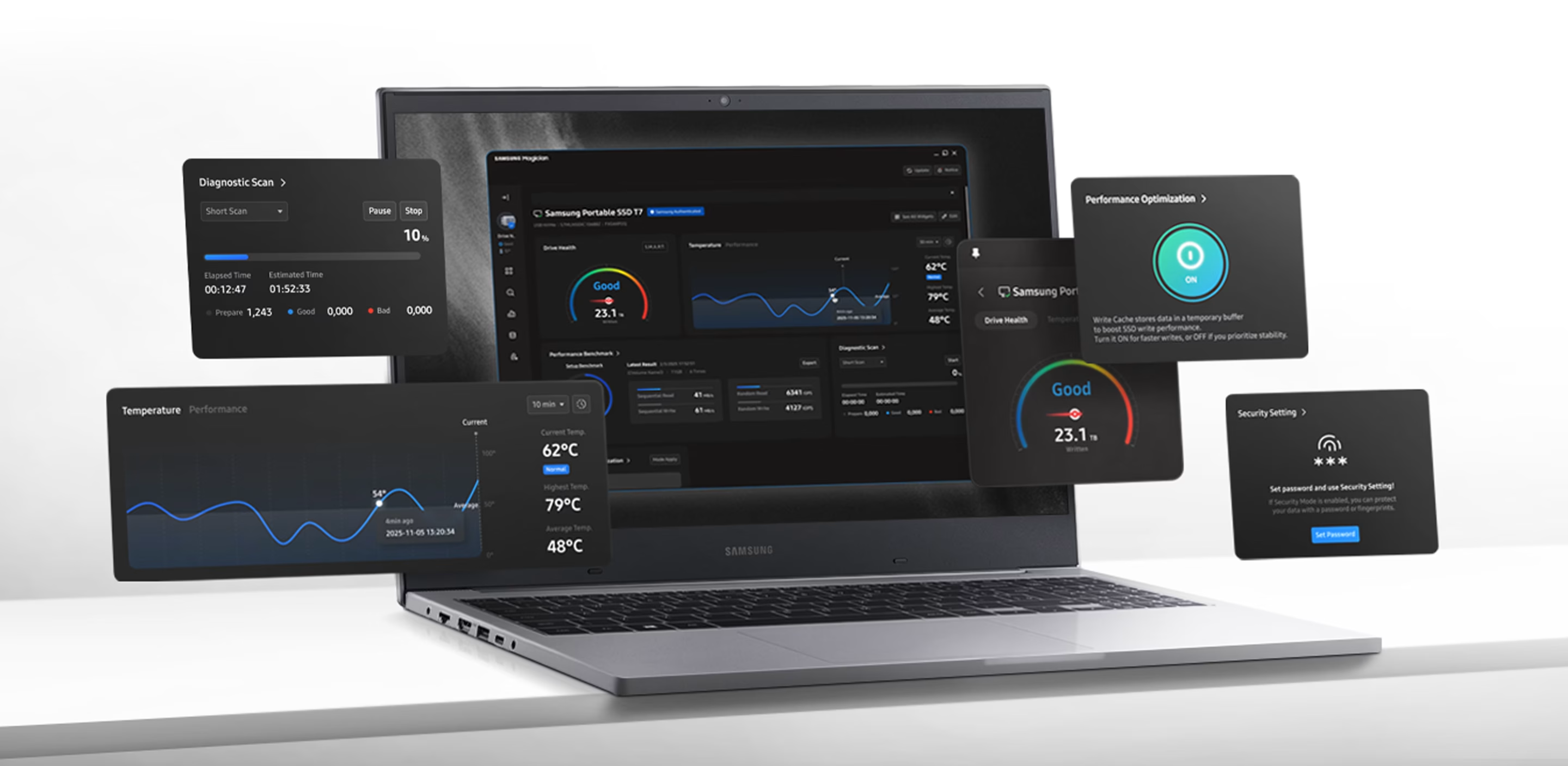
The update arrives as Samsung Magician version 9.0 and is now available for Windows and macOS (h/t SamMobile). The most noticeable change is the new interface, which feels more modern and far more flexible than before. Samsung has introduced a customizable home screen that lets users add widgets based on the information they want to see first.
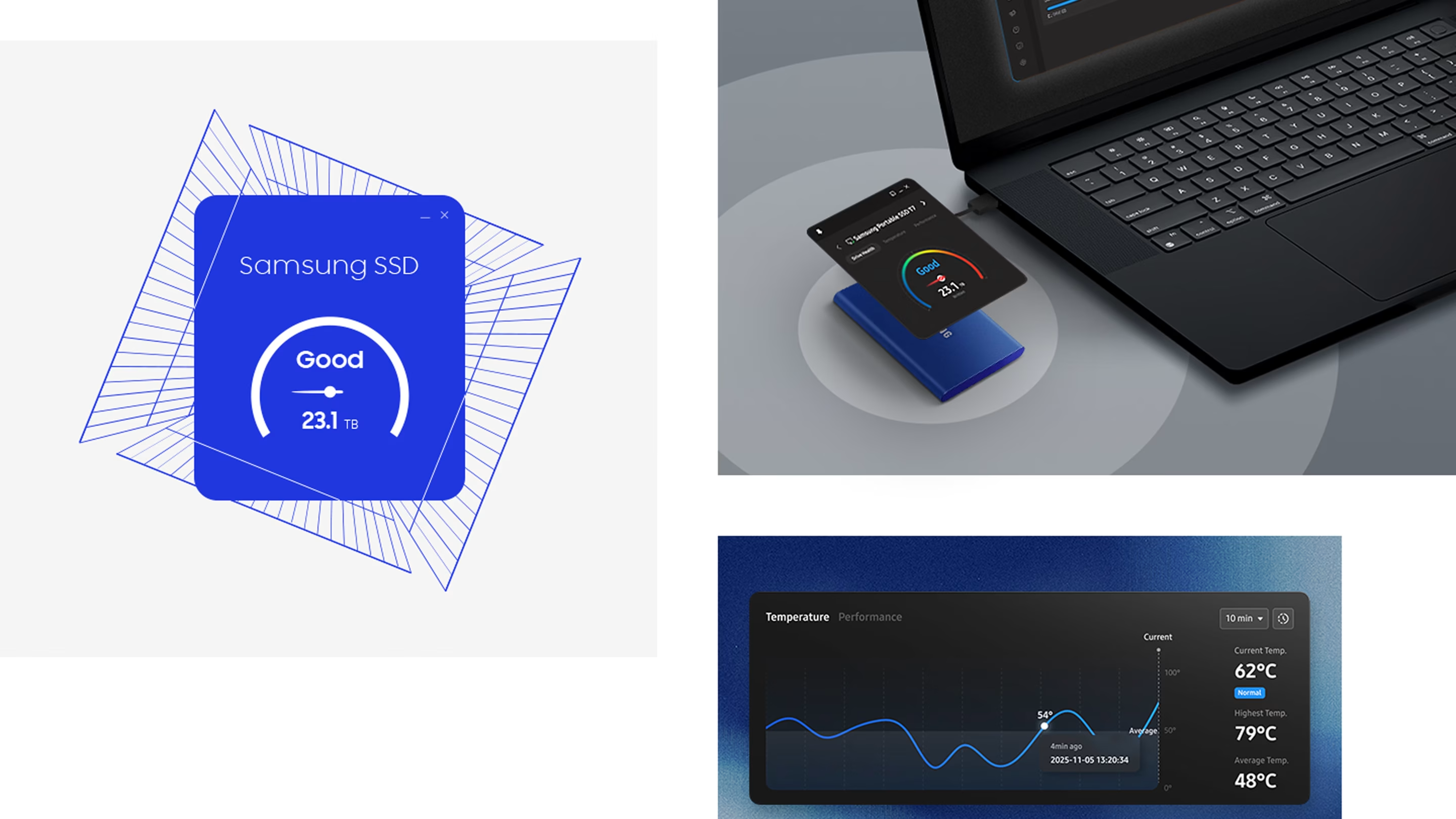
These widgets can display drive health, temperature, performance status, security information, and detailed volume data. There are also options for running diagnostic scans, checking performance benchmarks, enabling over-provisioning, managing LED lighting on supported drives, and viewing updates through a built-in newsroom section. Everything is laid out to make key information easier to access at a glance.
Functionally, Samsung Magician 9.0 continues to do what it does best. The app offers real-time monitoring, firmware update alerts, and performance optimization tools (like S.M.A.R.T Check) aimed at keeping SSDs running smoothly over time. You can also create multiple volumes on a single drive and migrate data without needing third-party utilities.
You can download Samsung Magician’s latest version for Windows and macOS via official website. If you have an Android device, you can check out the app by installing it from Play Store or Galaxy Store.
Samsung has a bunch of deals on portable SSDs at the moment, which you may want to check out.

Written by
Abhinav AnandAbhinav Anand is the News Editor at SammyGuru and a technology journalist based in New Delhi. Before joining SammyGuru, he contributed to numerous outlets, including Android Headlines, ExtremeTech, The Mac Observer, Financial Express, Economic Times, iGeeksBlog, KnowTechie, PhonesWiki, SlashGear, and more. You can reach him at abhinav@sammyguru.com.

Follow us on Google Discover & set us as a preferred source in Google News
Share this Post
___________________________


New Blog Posts
___________________________

First Set of Pixel 11 Pro XL Renders Are Here
Pixel 11 Pro XL CAD renders show minimal design changes

Is Samsung Preparing One UI 8.5 Beta for Galaxy Z Fold 5 and Flip 5?
Samsung may launch a One UI 8.5 beta program for its 2023 foldables

Galaxy S25 One UI 8.5 Beta May Run Longer Than Expected
Galaxy S25 series’ One UI 8.5 beta may stretch to 10 rounds







