
Google Messages Gets a Redesign for Link and YouTube Video Previews

SammyGuru is reader-supported. We have affiliate and sponsored partnerships, so we may earn a commission when you buy through links on our site — at no extra cost to you. Learn more.
Google Messages is making conversations look cleaner and more modern. The messaging platform is getting a new look for how it shows links and YouTube previews when users share them in chats. The redesigned layout is currently part of the beta channel, but it shouldn’t take long before it becomes available for everyone.
New Google Messages preview cards hide raw URLs to make chats cleaner
Folks over at 9to5Google spotted the revamped preview card inside conversations in the latest Google Messages beta (version 20251121_00_RC01). Previously, a shared link appeared at the top of the preview card, followed by an image. Moreover, you would also see the page title, description, and the website’s domain, letting you get an idea of the content before clicking.
The new design changes this structure quite a bit. If a message contains only a link, Google Messages now hides the raw URL. You will first see a taller image preview with less cropping than before. There’s a new bottom section with a background color and a more readable title. Furthermore, the domain name appears with the favicon for clearer identification.
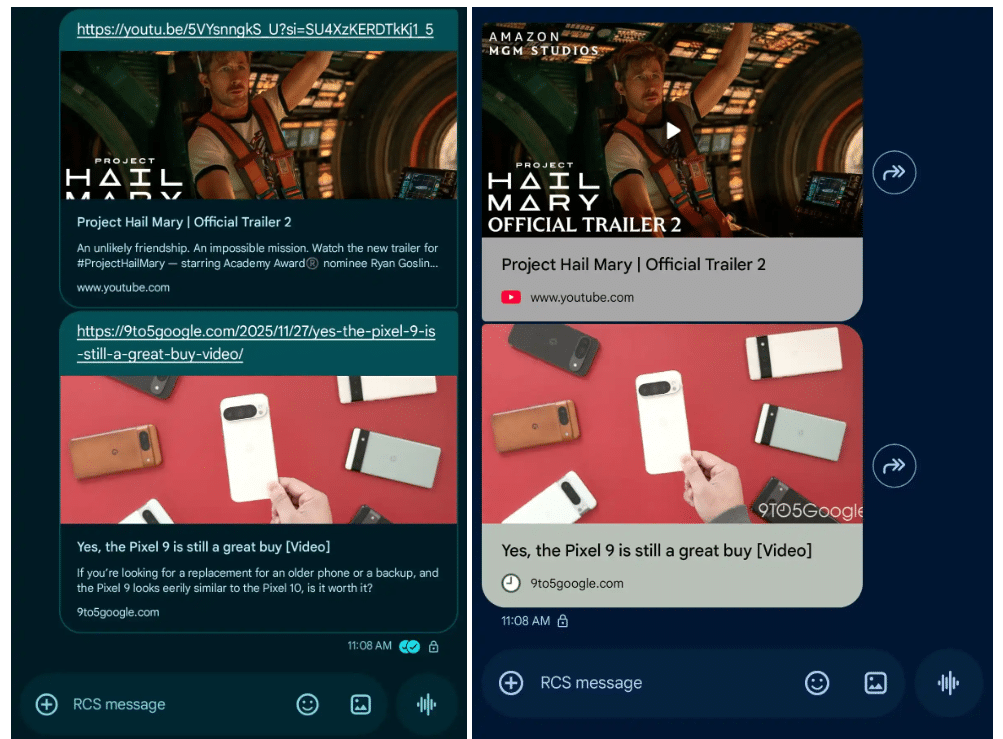
Old vs. New
However, the app also gets rid of the small page description, meaning you won’t see a quick summary of what the link contains. Of course, these changes make conversations visually appealing, but some users may not like losing the ability to quickly verify where a link leads. The good thing is that you can disable previews to get the full URL in your conversion. To do this, head over to Messages settings> Automatic previews and turn off “Show all previews” or “Show only web link previews.”
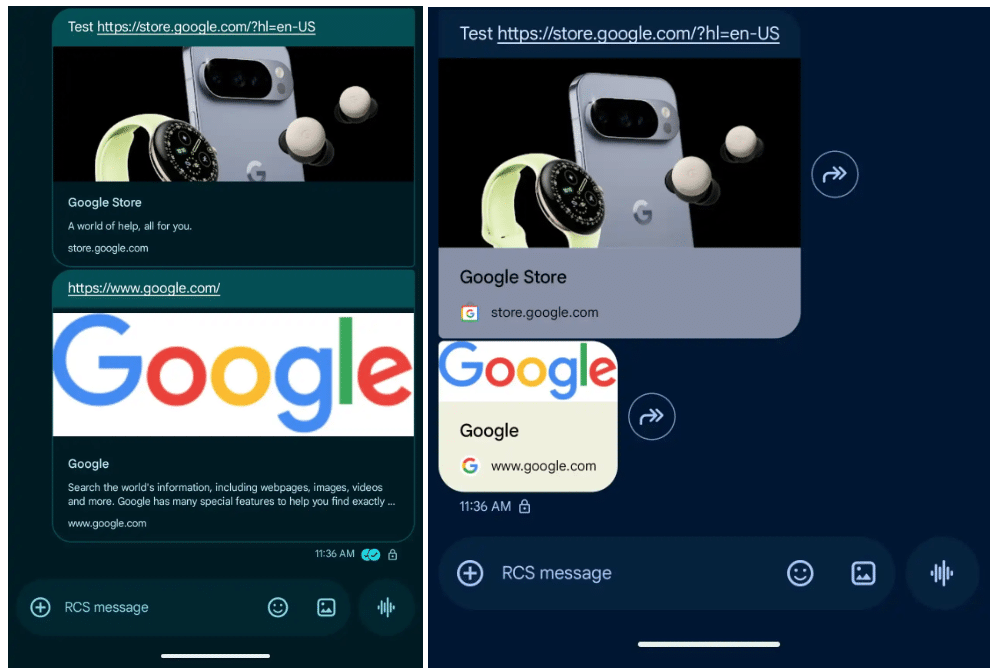
Old vs. New
When you share a link along with text, the preview card may also shrink to fit the message layout. Meanwhile, if you tap a YouTube link, the video now opens in Google Messages’ picture-in-picture (PiP) player. Even though you disable PiP, the app still opens the video in a full-screen web player inside Messages. The outlet expects this could be a temporary bug during testing, as there is currently no way to open the video directly in the YouTube app.

Written by
Binay KonwarBinay Konwar started his blogging journey in 2014 and has since written plenty of tech articles. At present, he is working as a News Writer at SammyGuru, covering everything about Samsung. He holds a Master's degree in Mathematics, but his real passion lies in tech and writing. In his free time, he enjoys playing chess and watching movies.

Follow us on Google Discover & set us as a preferred source in Google News
Share this Post
___________________________


New Blog Posts
___________________________

First Set of Pixel 11 Pro XL Renders Are Here
Pixel 11 Pro XL CAD renders show minimal design changes

Is Samsung Preparing One UI 8.5 Beta for Galaxy Z Fold 5 and Flip 5?
Samsung may launch a One UI 8.5 beta program for its 2023 foldables

Galaxy S25 One UI 8.5 Beta May Run Longer Than Expected
Galaxy S25 series’ One UI 8.5 beta may stretch to 10 rounds







