
Breaking! Android Quick Share Now Works with Apple’s AirDrop
SammyGuru is reader-supported. We have affiliate and sponsored partnerships, so we may earn a commission when you buy through links on our site — at no extra cost to you. Learn more.
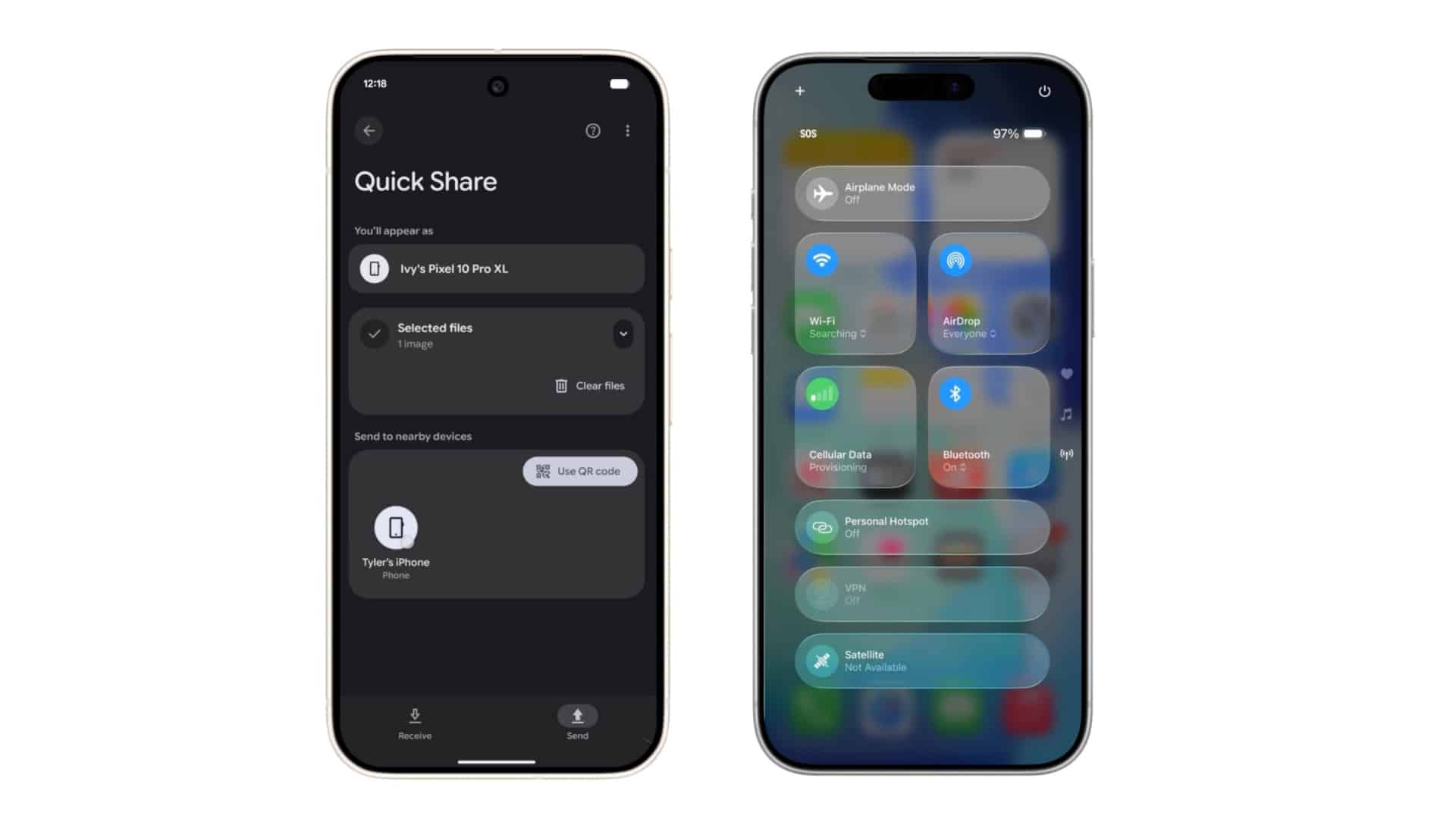
Google just rolled out an update lets Android’s Quick Share work directly with Apple’s AirDrop. In other words, you can now send photos, videos, and files back and forth between Android phones and iPhones (as well as Macs and iPads) without any extra steps. At the time of writing, it’s exclusive to the Pixel 10 series, but we expect the support to roll out gradually to more Android devices, including Samsung Galaxy models.
Quick Share to AirDrop file transfers now work on the Pixel 10, and Samsung will likely follow suit
If an iPhone user switches AirDrop visibility to “Everyone for 10 Minutes,” their device should appear in Android’s Quick Share panel just like any other nearby target. The same applies in the opposite direction. Pixel owners can receive files from Apple devices when their own Quick Share visibility is set to “Everyone for 10 Minutes” or when they enable Receive mode. Once accepted, files appear in the Files app on Android.
So how does it work? Google says it built the entire system on its own. The company confirmed that Apple was not involved in the development. This raises an obvious question about whether Apple might try to block this behavior in a future software update. So far, Apple has not commented.
The connection is direct and peer-to-peer, so data stays between the two devices rather than being routed through a server. The company also outlines several layers of security. The sharing channel is built using Rust. That’s designed to avoid memory-related vulnerabilities. Both operating systems add their own platform protections on top. On top of that, every transfer requires user approval before a file is received.
Internally, Google says it conducted privacy reviews, threat modeling, and penetration tests. It also hired an independent security firm, which found the implementation secure and stronger than similar solutions from other companies. For now, the feature only works through AirDrop’s temporary “Everyone for 10 Minutes” mode.
Google says it hopes to work with Apple in the future to add support for the more private “Contacts Only” mode, which would make the experience more seamless. Now we are just waiting for this functionality to arrive on Samsung Galaxy phones as well, and I hope One UI 8.5 makes that possible. Maybe then the dust will finally be settled once and for all.

Written by
Abhinav AnandAbhinav Anand is the News Editor at SammyGuru and a technology journalist based in New Delhi. Before joining SammyGuru, he contributed to numerous outlets, including Android Headlines, ExtremeTech, The Mac Observer, Financial Express, Economic Times, iGeeksBlog, KnowTechie, PhonesWiki, SlashGear, and more. You can reach him at abhinav@sammyguru.com.

Follow us on Google Discover & set us as a preferred source in Google News
Share this Post
___________________________


New Blog Posts
___________________________

First Set of Pixel 11 Pro XL Renders Are Here
Pixel 11 Pro XL CAD renders show minimal design changes

Is Samsung Preparing One UI 8.5 Beta for Galaxy Z Fold 5 and Flip 5?
Samsung may launch a One UI 8.5 beta program for its 2023 foldables

Galaxy S25 One UI 8.5 Beta May Run Longer Than Expected
Galaxy S25 series’ One UI 8.5 beta may stretch to 10 rounds







