
DaVinci Resolve Now Supports Samsung’s APV Video Codec
SammyGuru is reader-supported. We have affiliate and sponsored partnerships, so we may earn a commission when you buy through links on our site — at no extra cost to you. Learn more.
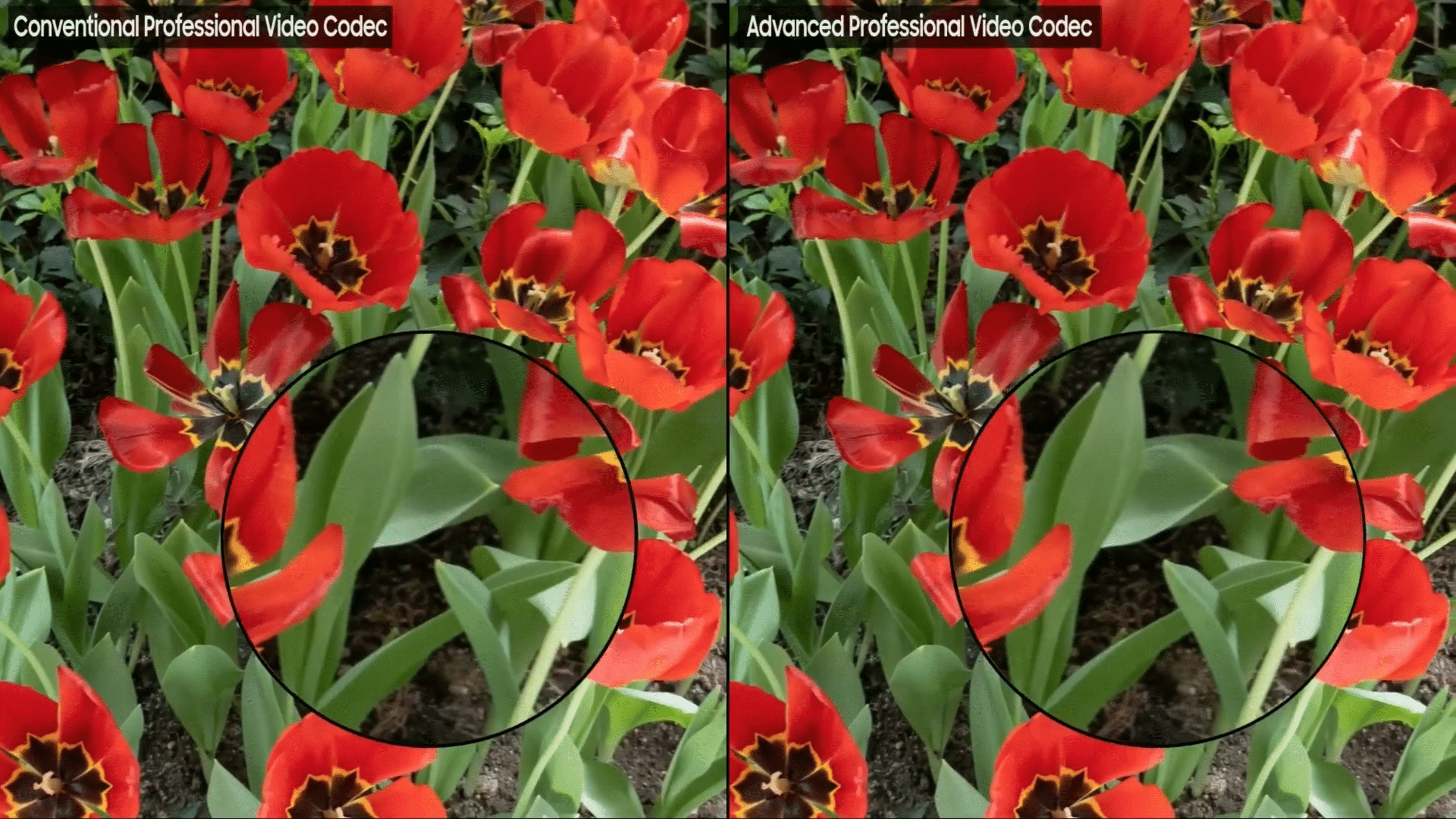
Samsung’s upcoming Galaxy S26 series may bring a meaningful upgrade in the video segment. The lineup may support the in-house APV (Advanced Professional Video Codec) codec, bringing professional-level video quality to smartphones. In a latest update, DaVinci Resolve, a popular video editing app, brings support for this codec.
DaVinci Resolve version 20.2 brings support for Samsung’s APV
First teased at SDC23, Samsung’s Advanced Professional Video codec offers cinematic-quality footage right from smartphones. The codec aims to deliver remarkably high image fidelity with manageable file sizes. You get perceptually lossless video quality, meaning it preserves fine details while avoiding the blocky compression.
The codec consumes 20% less storage than existing high-quality formats. Samsung will offer two recording profiles: APV 422 HQ and APV 422 LQ. The former delivers the highest quality at around 1GB per minute of footage, while the latter consumes roughly 0.75GB per minute. The good thing is that you can save the file directly to an external USB-C drive, meaning you don’t need to worry about phone storage.
With the release of DaVinci Resolve version 20.2, Samsung’s APV codec is now officially supported in one of the popular professional video editing tools. This will eliminate the need to convert APV footage before editing, letting you work directly with the original files recorded on the Galaxy S26.
Apart from APV codec support, the DaVinci Resolve update introduces a bunch of new features and improvements. For example, it now features a new AI-based Resolve FX Cinematic Haze. Likewise, the trim editor now opens automatically when using dynamic trimming. It also brings general performance and stability improvements.
Meanwhile, Samsung is reportedly gearing up to debut the Galaxy S26 series at the Galaxy Unpacked event, expected on February 25, 2026. If the APV codec supports the lineup, it will be super helpful for those who want to record video with fine details. Later, you will be able to edit it directly in DaVinci Resolve.

Written by
Binay KonwarBinay Konwar started his blogging journey in 2014 and has since written plenty of tech articles. At present, he is working as a News Writer at SammyGuru, covering everything about Samsung. He holds a Master's degree in Mathematics, but his real passion lies in tech and writing. In his free time, he enjoys playing chess and watching movies.

Follow us on Google Discover & set us as a preferred source in Google News
Share this Post
___________________________


New Blog Posts
___________________________

First Set of Pixel 11 Pro XL Renders Are Here
Pixel 11 Pro XL CAD renders show minimal design changes

Is Samsung Preparing One UI 8.5 Beta for Galaxy Z Fold 5 and Flip 5?
Samsung may launch a One UI 8.5 beta program for its 2023 foldables

Galaxy S25 One UI 8.5 Beta May Run Longer Than Expected
Galaxy S25 series’ One UI 8.5 beta may stretch to 10 rounds







