
Google Messages Will Now Warn You About Explicit Videos

SammyGuru is reader-supported. We have affiliate and sponsored partnerships, so we may earn a commission when you buy through links on our site — at no extra cost to you. Learn more.
Google aims to protect users from explicit content in its Messaging app. The company has recently announced that the app can now detect explicit videos, helping users avoid seeing unwanted content. The feature will arrive with the October 2025 Play Services update, which may take a few days or weeks to reach your Android device.
Sensitive Content Warnings in Google Messages expand to videos
A few weeks ago, Google introduced the Sensitive Content Warnings feature within its Messaging app. However, the feature only blurs images when it detects nudity. With the latest Play Services update (version 25.39), Google is expanding this protection to videos as well, making the app safer for users. In its release notes, Google wrote, “Sensitive Content Warnings feature in Google Messages can now detect explicit nude media in shared videos”.
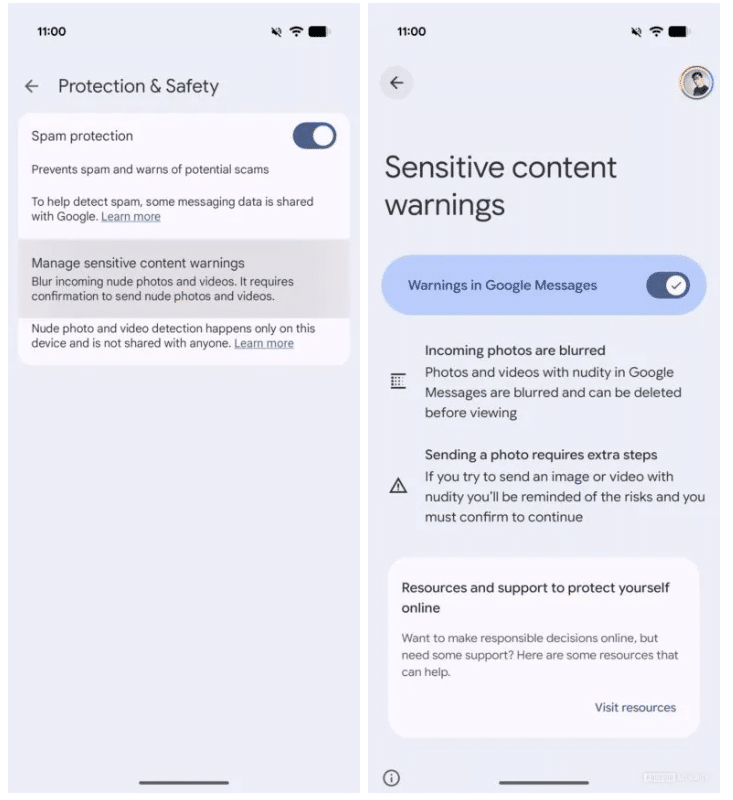
To activate the feature, you will first need to open Google Messages and tap the profile icon. Now, head over to this route: Messages settings > Protection and safety > Manage sensitive content warnings. Once you turn on the feature, the app will scan all media, such as photos and videos, automatically to recognize nudity. Note that GIFs are still not part of the content warnings.
Credit: Android Authority
The feature works through an Android framework called SafetyCore, which detects nudity in both images and videos. The good thing is that all scanning happens on your device, meaning your videos remain private and secure. Once the system detects nudity in both sent and received videos, Google Messages will blur it and give you a warning. You can then decide whether to play the video or delete it.
Now you no longer need to worry while using Google Messages, as inappropriate content won’t appear in your conversations. However, as mentioned above, the feature will arrive with the October Play Services update. If you are a Galaxy device user, you can keep an eye on the latest updates via Settings > Security and Privacy > Updates > Google Play System Update.

Written by
Binay KonwarBinay Konwar started his blogging journey in 2014 and has since written plenty of tech articles. At present, he is working as a News Writer at SammyGuru, covering everything about Samsung. He holds a Master's degree in Mathematics, but his real passion lies in tech and writing. In his free time, he enjoys playing chess and watching movies.

Follow us on Google Discover & set us as a preferred source in Google News
Share this Post
___________________________


New Blog Posts
___________________________

First Set of Pixel 11 Pro XL Renders Are Here
Pixel 11 Pro XL CAD renders show minimal design changes

Is Samsung Preparing One UI 8.5 Beta for Galaxy Z Fold 5 and Flip 5?
Samsung may launch a One UI 8.5 beta program for its 2023 foldables

Galaxy S25 One UI 8.5 Beta May Run Longer Than Expected
Galaxy S25 series’ One UI 8.5 beta may stretch to 10 rounds







