
Exclusive: Samsung One UI 8.5 Adds Ask Gemini and Ask Bixby Actions
SammyGuru is reader-supported. We have affiliate and sponsored partnerships, so we may earn a commission when you buy through links on our site — at no extra cost to you. Learn more.
Whew, what a day! While Samsung rolled out One UI 8 stable to the Galaxy S25 series this week, we’ve been hard at work bringing you an early look at One UI 8.5. We’ve already shown off the new Settings menu and the redesigned My Files and Phone app. Samsung is leaning heavily on Google’s Material 3 design (with a sprinkling of iOS 26) for its new menu and button layout. Up next, we’ve uncovered a few spicy new details regarding Modes and Routines in One UI 8.5.
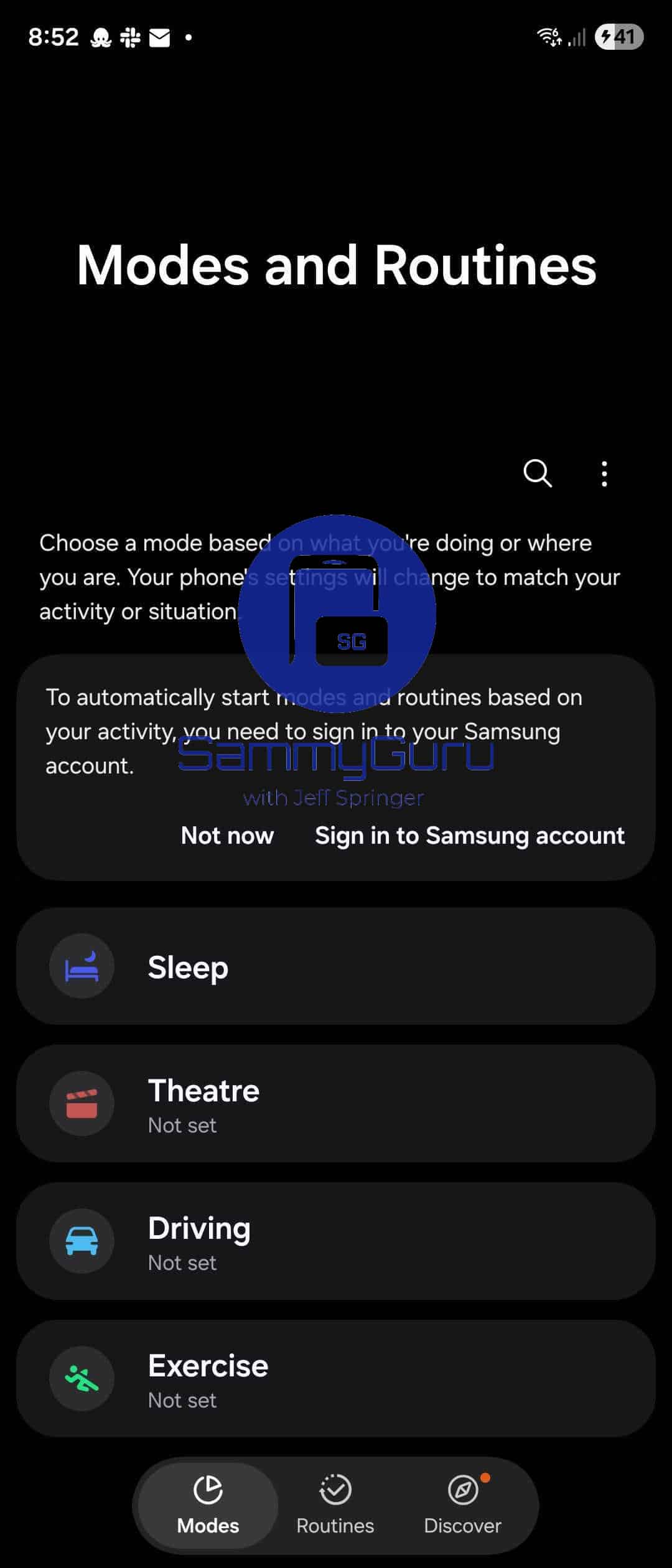
First up, we have a look at the new Modes and Routines UI within the Settings menu. The Modes and Routines page is very consistent with the other menus we’ve already shown off in One UI 8.5. We have a floating pill-shaped menu at the bottom, with a drop shadow element to indicate selected options. We see the familiar Modes, Routines, and Discover options in this menu. The Discover option has the infamous orange dot, indicating new features are available.
Ask Bixby and Ask Gemini Actions in One UI 8.5
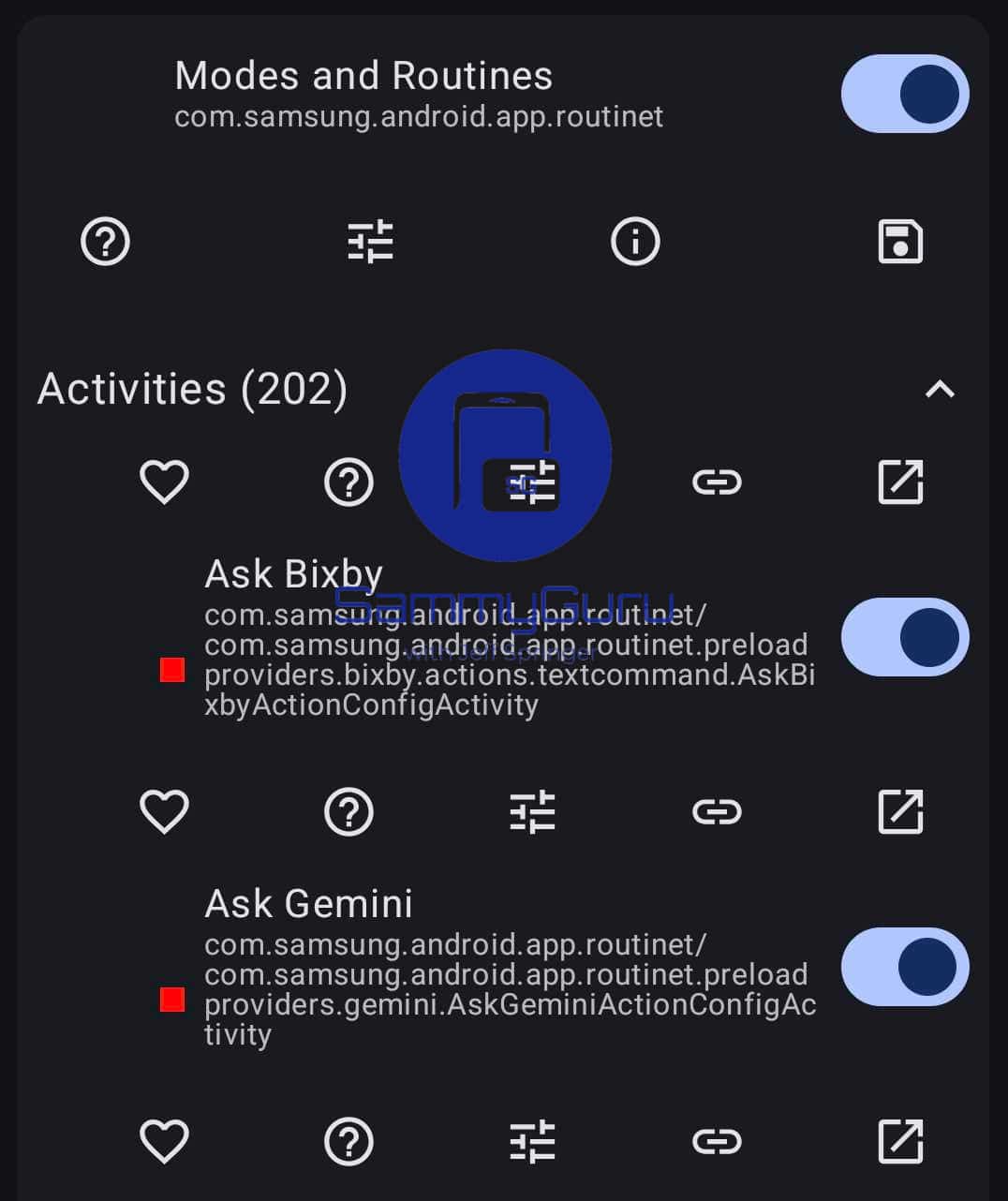
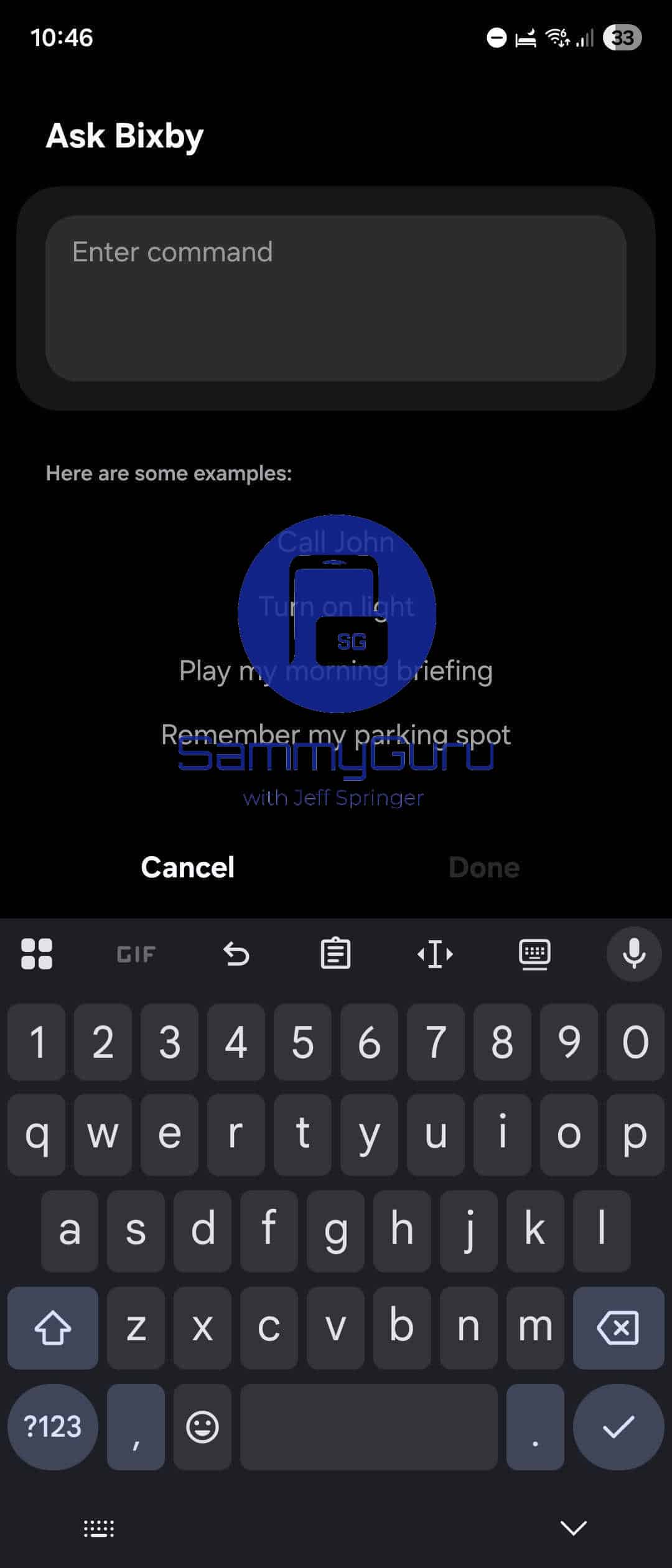
We found at least two new actions available in Routines for One UI 8.5. The Ask Bixby and Ask Gemini activities allow you to pass a query to either of these smart assistants. Presumably, this allows users to chain together actions and feed data to Bixby or Gemini to get an answer. This could be a very useful option, especially if paired with something like Touch Macros in Samsung’s Routines+ app.
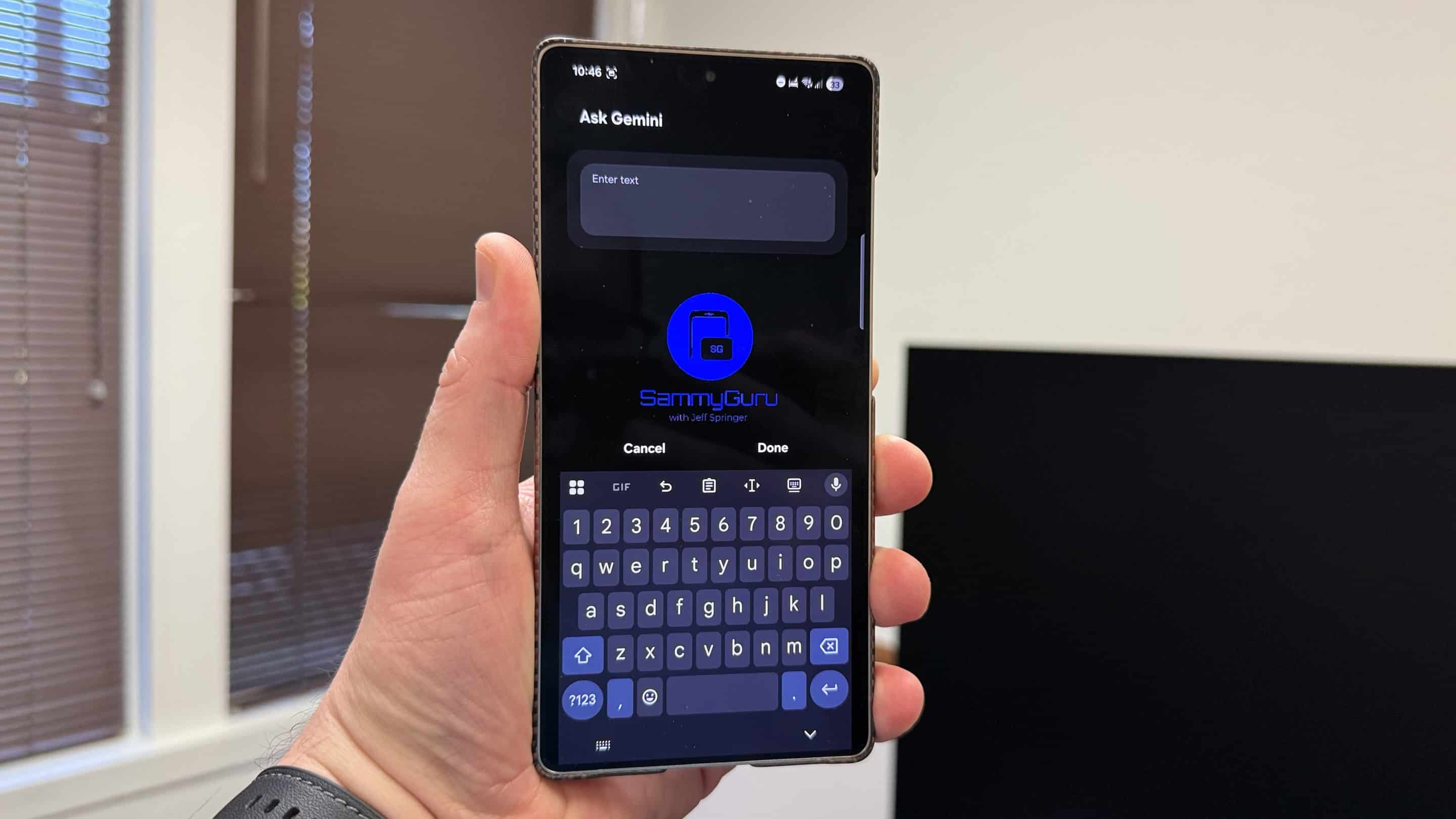
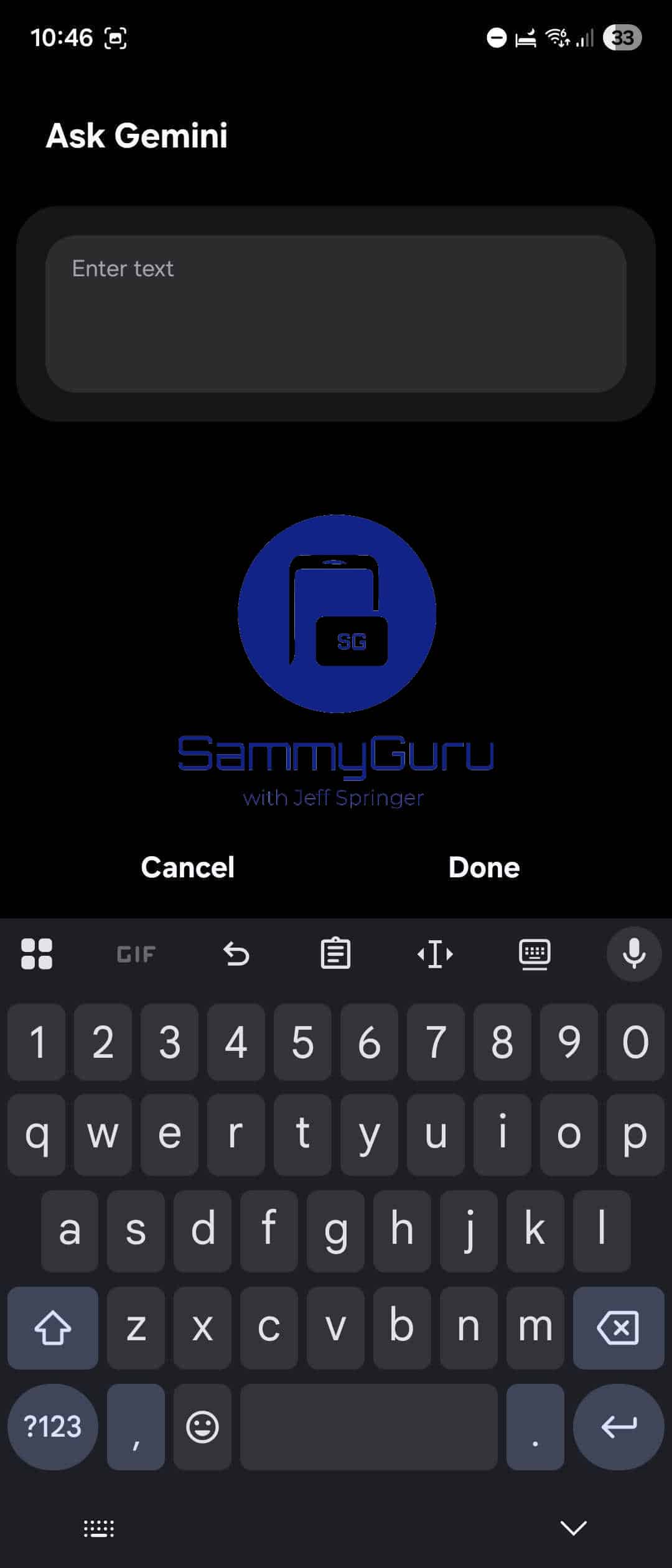
The Ask Bixby and Ask Gemini UI are very similar. Both have a text box to enter your query, with a prominent drop shadow. Notably, the key difference between these menus is the list of suggested actions found under the Ask Bixby text box. Samsung suggests you try actions such as placing a call or turning on smart lights. Bixby can read your Now Brief as well, or remember your parking spot. It makes sense that Gemini does not have a list of suggestions, as it can answer a wide range of information queries.
All in all, the One UI 8.5 redesign looks much larger than the jump from One UI 7 to One UI 8. Samsung is trying to bring even more AI into the mix as well, as evidenced by these new Ask Bixby and Ask Gemini actions. If you’re looking forward to One UI 8.5, set us as a preferred source on Google below to get all of our latest findings as fast as possible. Also, if you’re purchasing the Galaxy S26 Ultra in January 2026, sign up for our mystery box program to get free accessories with your new phone!

Written by
Jeff SpringerJeff Springer is the Founder and Managing Editor at SammyGuru. Pursuing his passion for mobile tech, he started covering Samsung and Android on his Youtube channel in 2014 and continues to post daily Samsung tutorial videos. As a past staff writer at XDA Developers and Android Police, Jeff has a wealth of experience managing written content as well. In 2023, Jeff started SammyGuru to offer a different type of Samsung news site. He firmly believes that providing great value to readers is the core mission of our coverage. Jeff lives in Phoenix, AZ with his wife and two kids. In his small amount of free time, he collects fountain pens, stationery, and Pokémon cards.

Follow us on Google Discover & set us as a preferred source in Google News
Share this Post
___________________________


New Blog Posts
___________________________

First Set of Pixel 11 Pro XL Renders Are Here
Pixel 11 Pro XL CAD renders show minimal design changes

Is Samsung Preparing One UI 8.5 Beta for Galaxy Z Fold 5 and Flip 5?
Samsung may launch a One UI 8.5 beta program for its 2023 foldables

Galaxy S25 One UI 8.5 Beta May Run Longer Than Expected
Galaxy S25 series’ One UI 8.5 beta may stretch to 10 rounds







