
Updated to One UI 8? Check Out the First Things to Try
SammyGuru is reader-supported. We have affiliate and sponsored partnerships, so we may earn a commission when you buy through links on our site — at no extra cost to you. Learn more.
Samsung has now started rolling out the One UI 8 update, beginning with the Galaxy S25 series in South Korea. Soon, other regions and more devices will catch up with the Android 16-based update. As you wait for the update, we’ve got to tell you what are the first things you should do with One UI 8.
The update brings a load of new features, unlike what was initially anticipated, despite the difference between One UI 7 and One UI 8 being less than six months apart. You can catch up full details and a walkthrough on our YouTube channel, but here’s a list to give you a heads up.
Try these One UI 8 features!
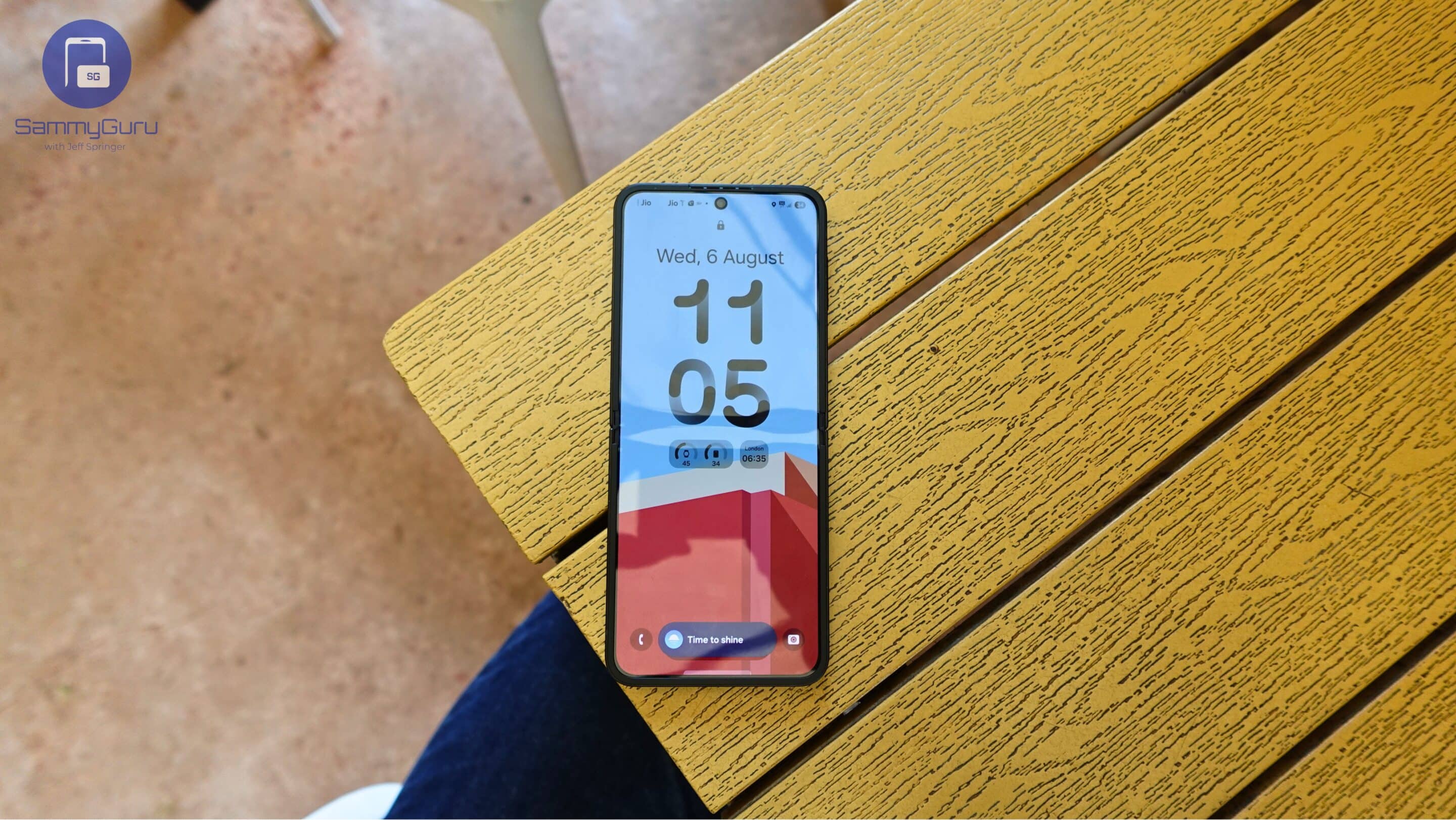
Adaptive lock screen clock
One of the most visible changes with the One UI 8 is the new adaptive lock screen clock. It adjusts automatically around people or pets in your wallpaper. You’ll need to set wallpapers from Samsung’s Gallery for this to work. It’s absolutely fun, and definitely worth trying.
Upgraded Secure Folder
Another thing you’ll notice after you update to the Android 16-based One UI 8 is that Secure Folder gets a big update. You You can now completely hide it, reveal it from quick toggles, and even set up separate biometrics just for Secure Folder. It also integrates with Android’s Private Space API for stronger protection.
Now Brief and Now Bar
Samsung improved both Now Brief and Now Bar in One UI 8. You’ll find more options for content, better app integrations, and even a new read-aloud feature for Now Brief. It can read your news aloud, making it more useful in daily life. You can also keep track of any stocks or indices you want with Google Finance integration.
Audio Eraser in Gallery
One UI 8 adds a new audio eraser feature directly inside the Gallery app. When watching a video, you can quickly remove unwanted background noise without opening the full editor.
New Wallpaper features
The wallpaper picker now includes AI-suggested wallpapers based on your photos, plus dynamic gradient wallpapers that change throughout the day. These options make customizing your phone easier and more fun.
Call Captions
You’ll find a new option under call settings called Captions. This shows live captions of your calls, useful in loud places or when you can’t hear clearly. Language packs are available for download, and there are a ton of supported languages.
Enhanced multitasking
Split screen multitasking is more flexible now. Instead of being limited to 60/40, you can adjust apps up to a 90/10 ratio. Combined with pop-up view, it makes multitasking more useful than ever. We bet.
New Samsung DeX
DeX gets a full redesign in One UI 8, with support for multiple desktops. For now, it’s exclusive to the Galaxy Tab S11 series, but it’s coming to more devices later. And like always, we can’t wait to try and give you a heads up!
If you want to see these cool new One UI 8 features in action, make sure to watch our full YouTube video. We go hands-on with each feature, showing you exactly where to find them and how to use them on your Galaxy device.
Samsung has also announced which Galaxy devices will receive the One UI 8 update in 2025. That isn’t the full rollout list, but it does include the models that should get the update in the coming weeks.

Written by
Abhinav AnandAbhinav Anand is the News Editor at SammyGuru and a technology journalist based in New Delhi. Before joining SammyGuru, he contributed to numerous outlets, including Android Headlines, ExtremeTech, The Mac Observer, Financial Express, Economic Times, iGeeksBlog, KnowTechie, PhonesWiki, SlashGear, and more. You can reach him at abhinav@sammyguru.com.

Follow us on Google Discover & set us as a preferred source in Google News
Share this Post
___________________________


New Blog Posts
___________________________

First Set of Pixel 11 Pro XL Renders Are Here
Pixel 11 Pro XL CAD renders show minimal design changes

Is Samsung Preparing One UI 8.5 Beta for Galaxy Z Fold 5 and Flip 5?
Samsung may launch a One UI 8.5 beta program for its 2023 foldables

Galaxy S25 One UI 8.5 Beta May Run Longer Than Expected
Galaxy S25 series’ One UI 8.5 beta may stretch to 10 rounds







