
Here’s Everything New with Home Up for One UI 8
SammyGuru is reader-supported. We have affiliate and sponsored partnerships, so we may earn a commission when you buy through links on our site — at no extra cost to you. Learn more.
Samsung has now launched the much anticipated Home Up update for One UI 8, rolling out version 17.0.00.28. With it comes some very exciting changes and new features that unlock new possibilities when customizing your home screen. Let’s go over exactly what’s new.
Edit common Home Up settings without entering the app
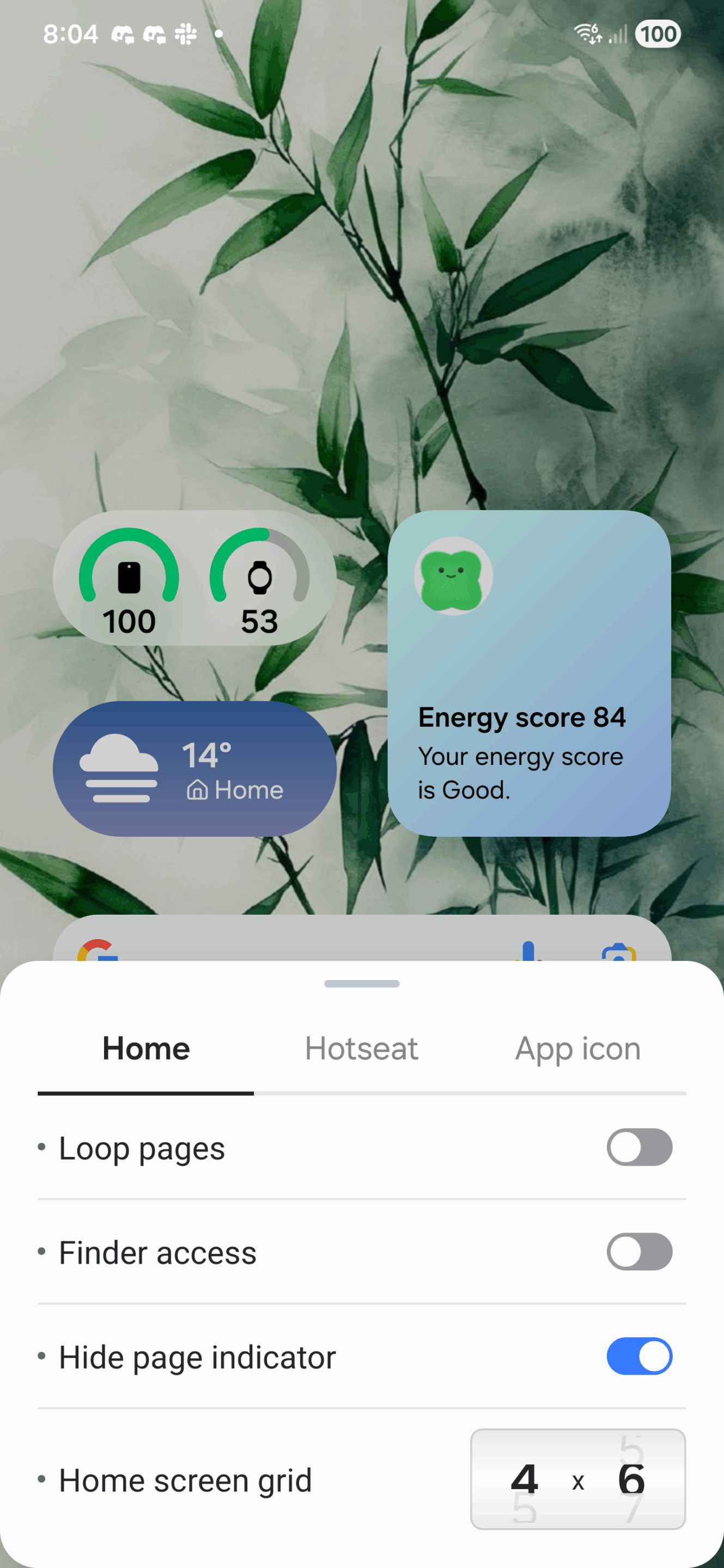
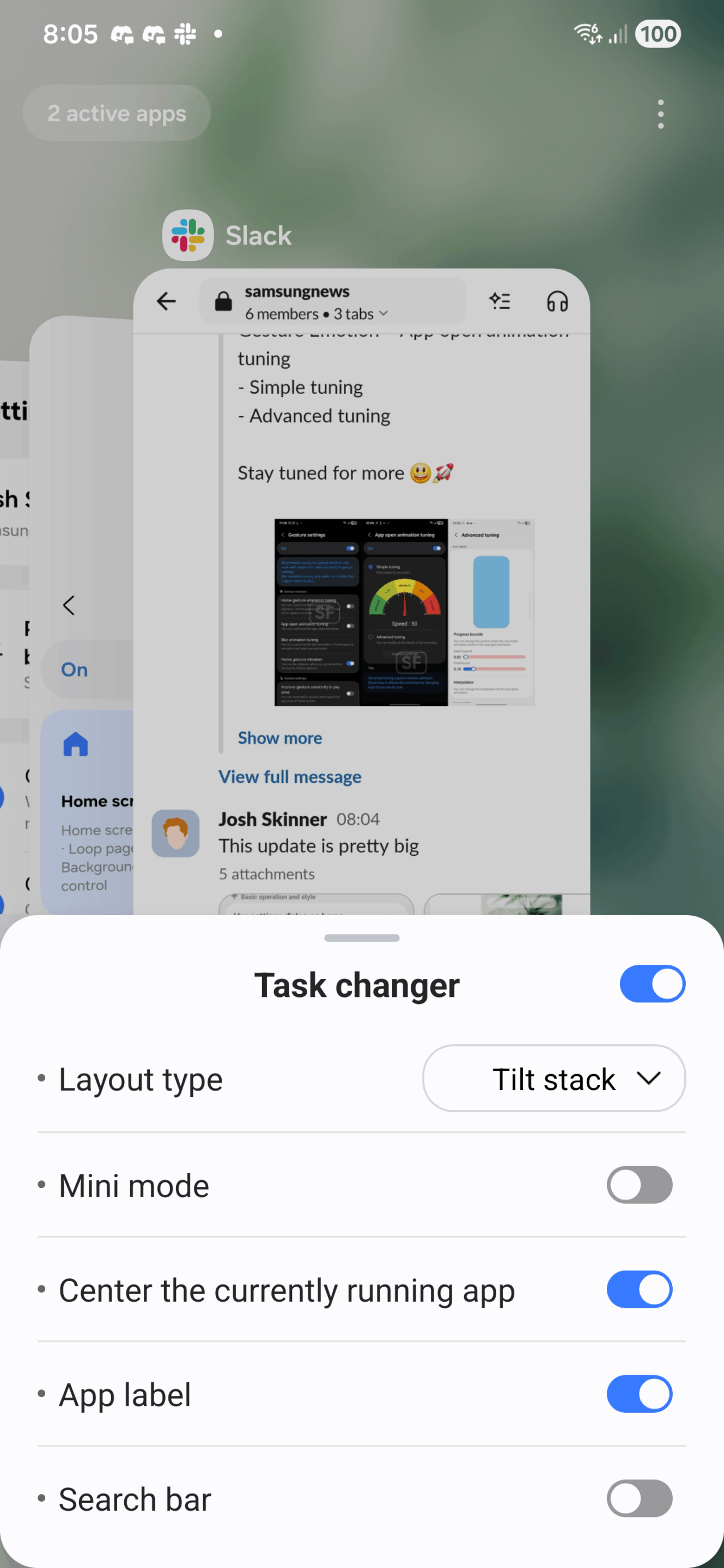
Home Up now integrates deeply with One UI Home, with the ability to change commonly sought-after settings, like app grid size or recent apps style on the fly. No need to even enter the Home Up app.
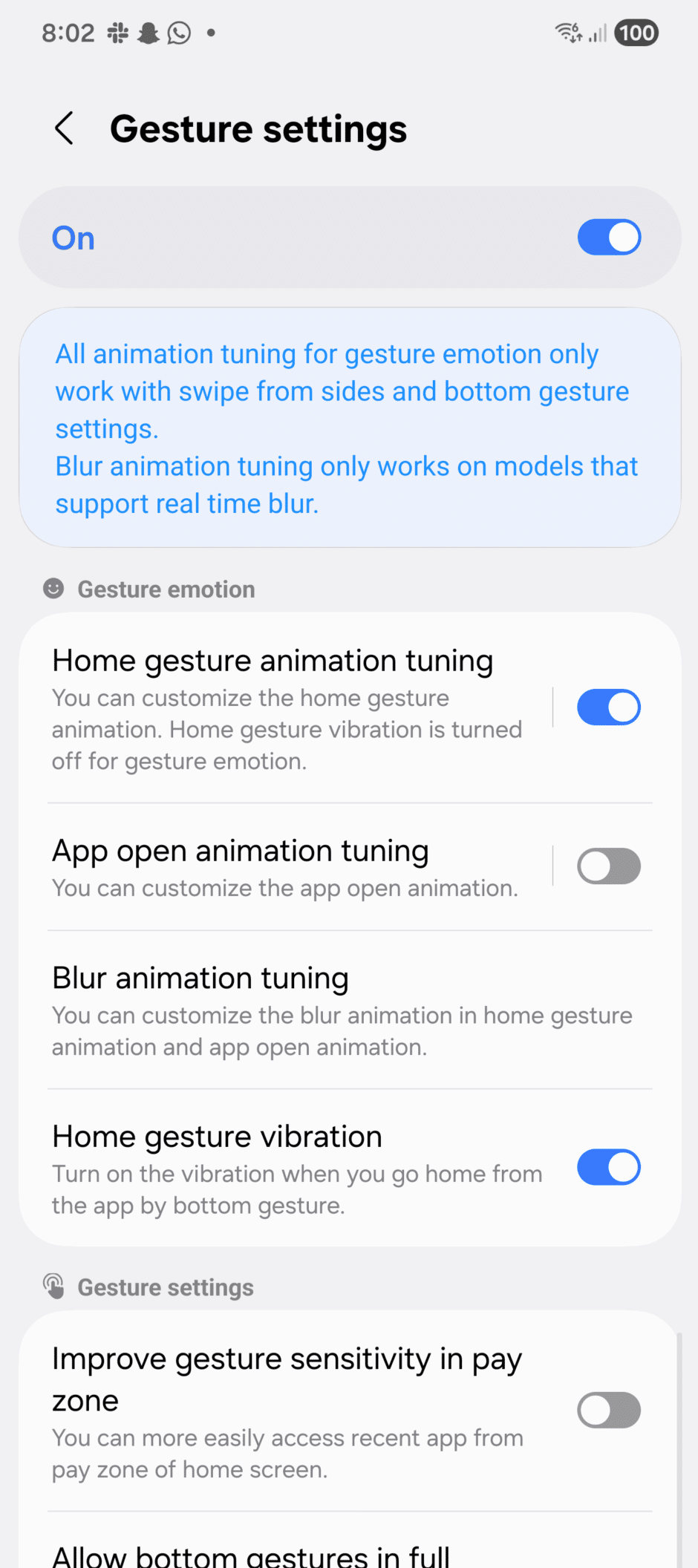
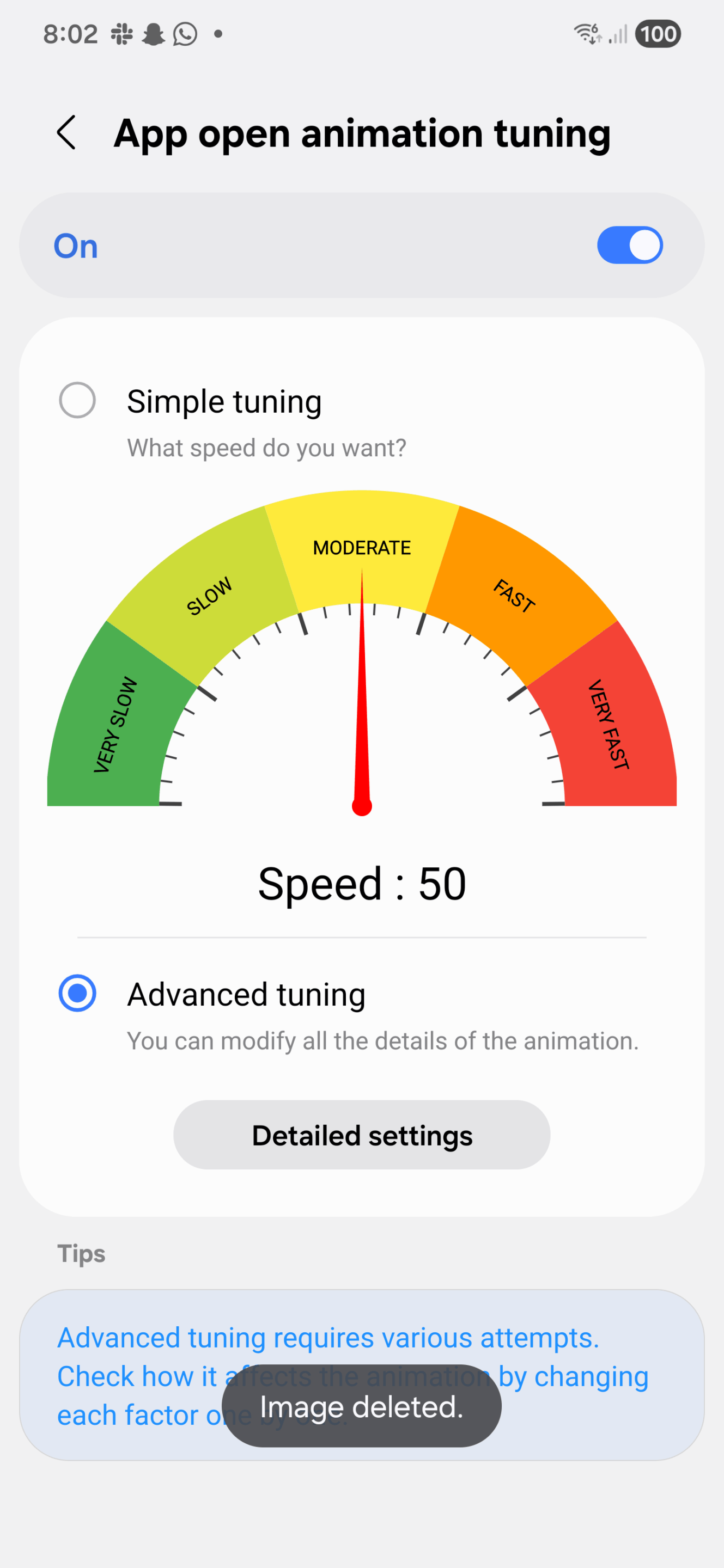
Gesture tuning gets even more advanced features
A fan favourite feature of Home Up is the gesture tuning, which lets you dial in the app closing animations just how you like them. This gets better with One UI 8, as Samsung has separated App Open and Home Gesture (app close) animations. This means you can make your open speeds fast and close speeds more graceful. Or vice versa — the choice is yours.
Blur gets huge improvements
A complaint with Home Up on One UI 7 was the barebones blur toggle, buried deep in the gesture tuning menu. Now it stands out with its own menu. When enabled, it blurs both the wallpaper and app icons when entering and exiting an app. It has three strength levels, letting you pick how strong you want the blur to appear. Here’s a demonstration.
— That Josh Guy (@thatjoshguy69) July 21, 2025
DIY Home also gets improvements
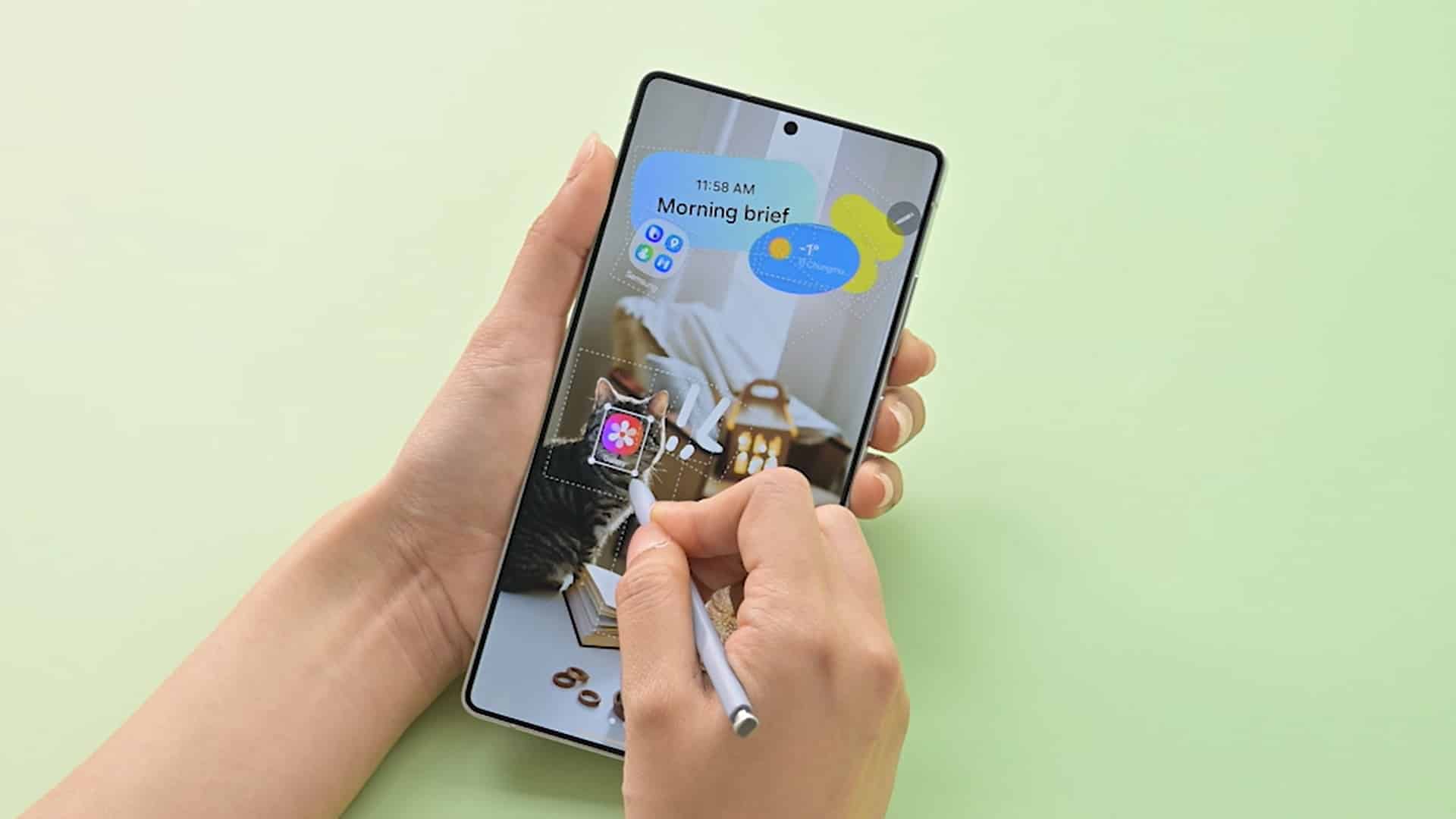
The feature added with One UI 7 that gives complete control over the home screen to the user got some quality of life changes in the new version. A new floating button appears, letting you move items around with finer precision. This also mirrors popular third-party launchers. Here’s how that looks.
DIY Home gets a huge update, now with a fine adjustment tool, similar to Smart Launcher. pic.twitter.com/YvFue2LoUT
— That Josh Guy (@thatjoshguy69) July 21, 2025
Other smaller changes
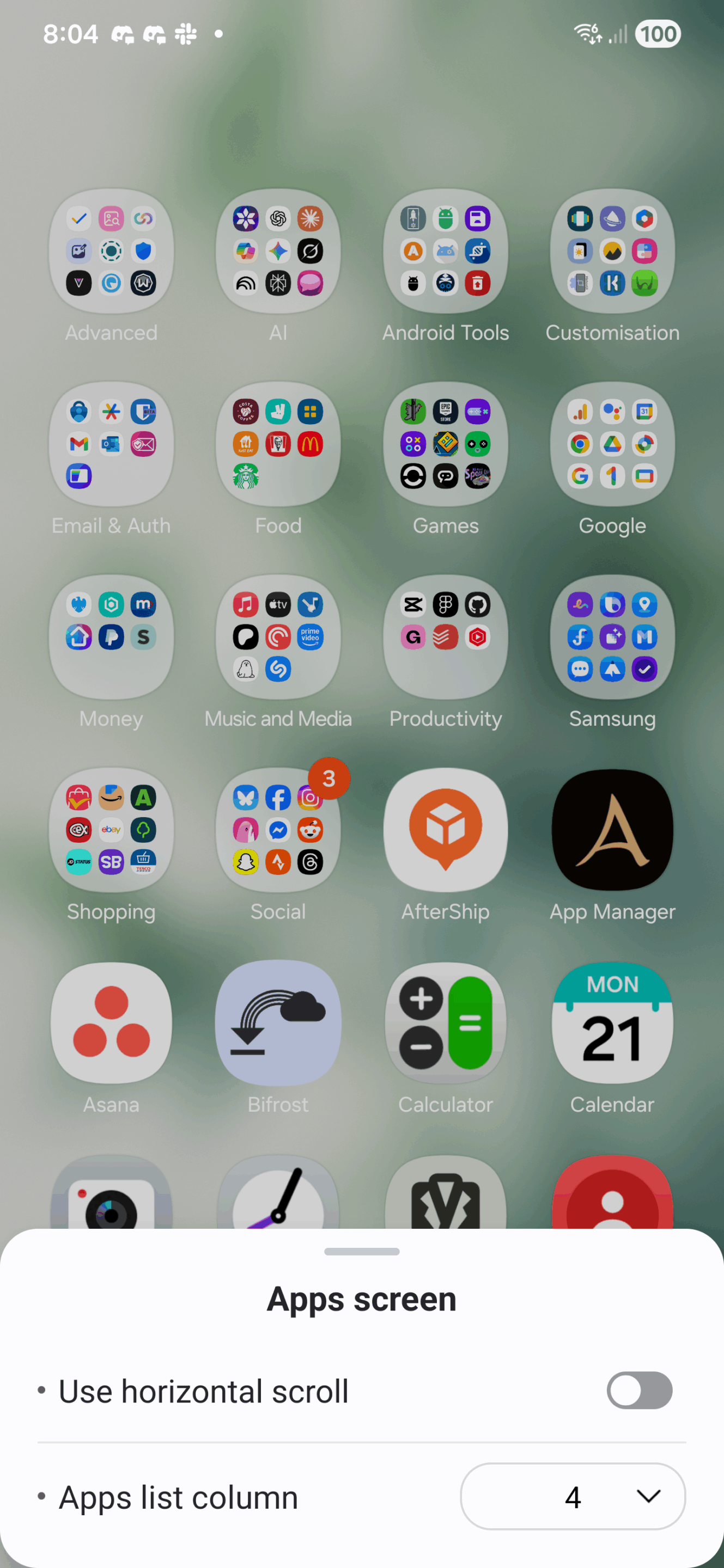
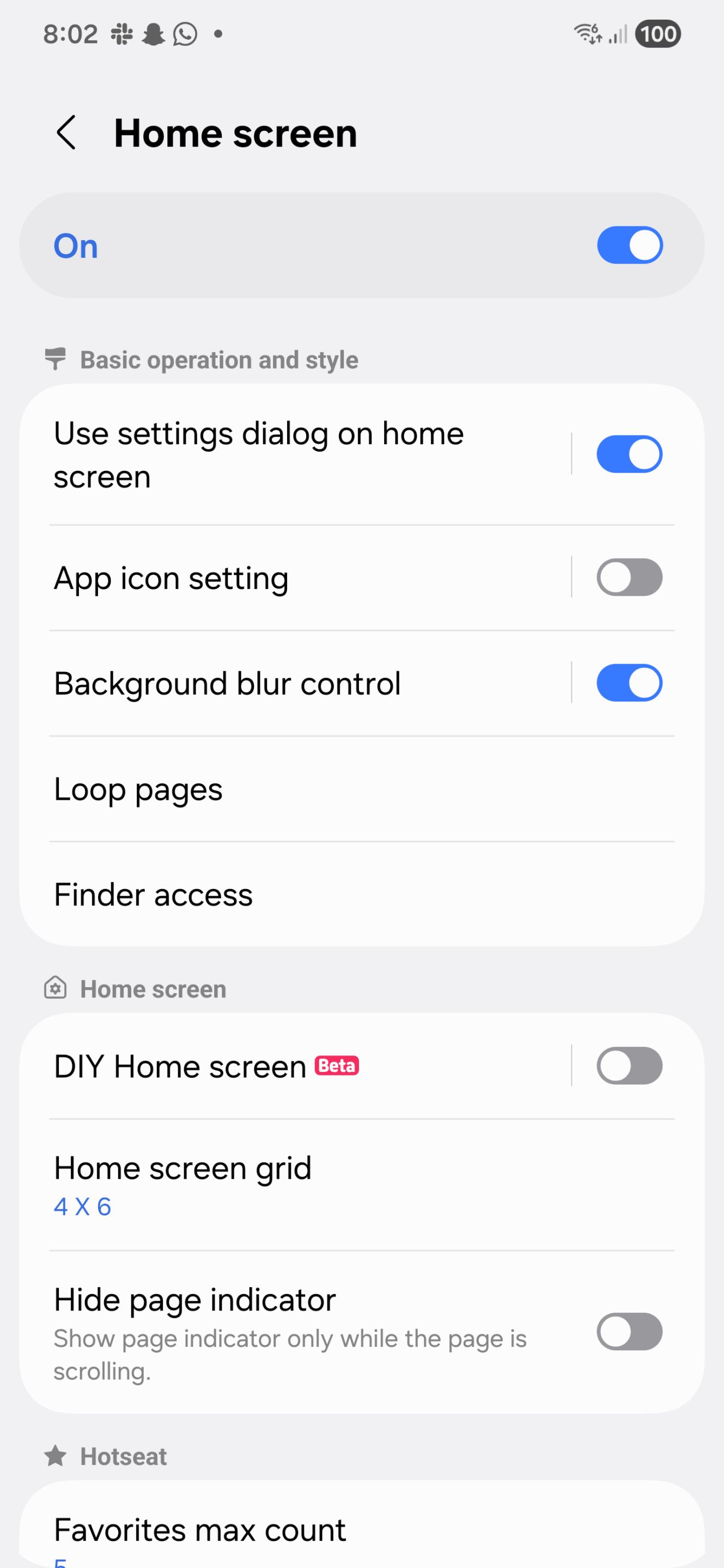
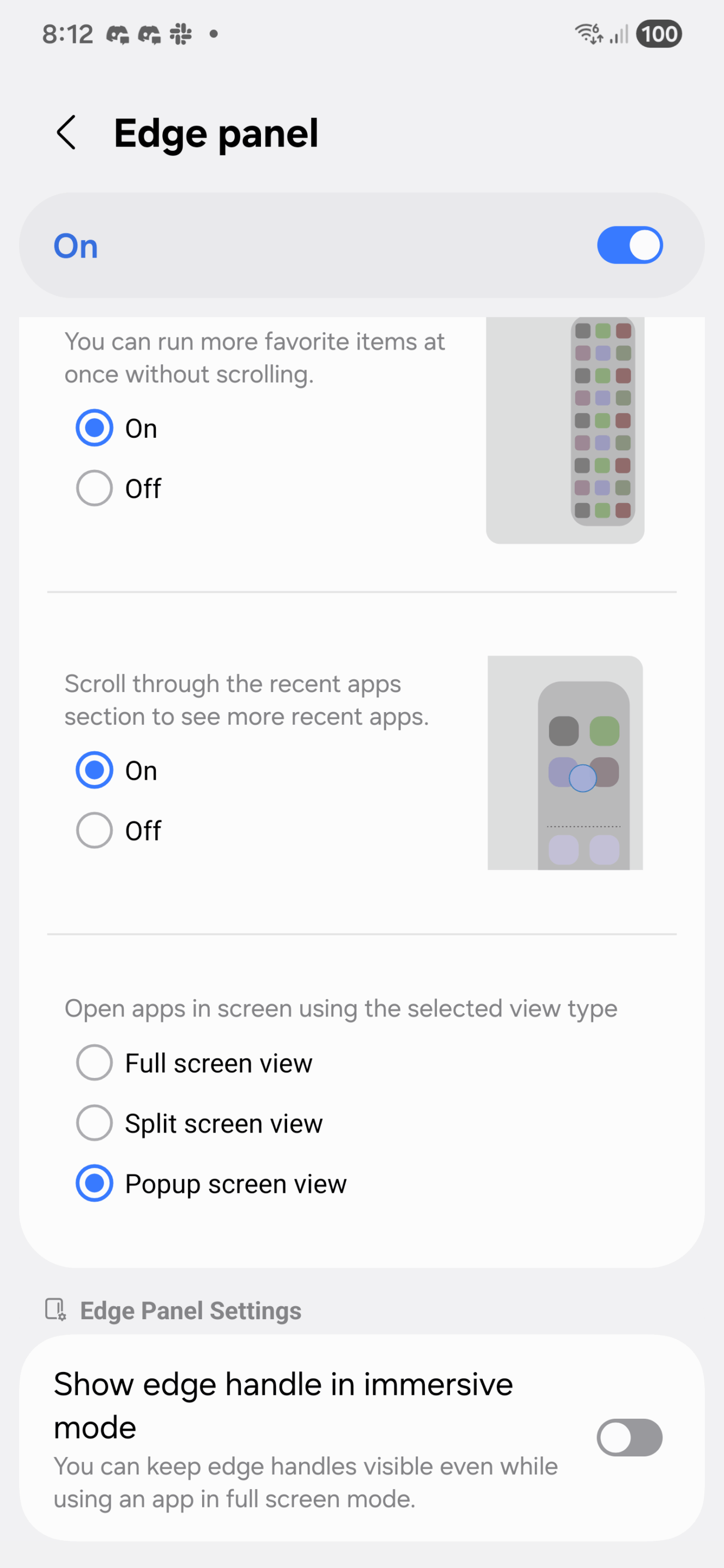
There’s still more to go! Some smaller, yet still significant features were added. You can finally hide the page indicator, perfect for super minimal setups. The apps page can now be toggled between vertical and horizontal scrolling when in alphabetical order. And in the Edge Panel, you can now launch apps straight into a floating window or split screen.
This is one mammoth of an update! It’s rolling out slowly in some regions through the Galaxy Store. Galaxy users will receive the new version after their devices are updated to One UI 8. Samsung may begin the rollout in early August.

Written by
Josh SkinnerJosh is a freelance writer, graphic and user interface designer, and content creator. He has a sizable following on Twitter/X, with his deep insights, extensive knowledge and design skills attracting audiences. He also loves lego, video games and tech as a whole.

Follow us on Google Discover & set us as a preferred source in Google News
Share this Post
___________________________


New Blog Posts
___________________________

First Set of Pixel 11 Pro XL Renders Are Here
Pixel 11 Pro XL CAD renders show minimal design changes

Is Samsung Preparing One UI 8.5 Beta for Galaxy Z Fold 5 and Flip 5?
Samsung may launch a One UI 8.5 beta program for its 2023 foldables

Galaxy S25 One UI 8.5 Beta May Run Longer Than Expected
Galaxy S25 series’ One UI 8.5 beta may stretch to 10 rounds







