
Galaxy Buds Settings No Longer in Galaxy Wearable After Latest Update
SammyGuru is reader-supported. We have affiliate and sponsored partnerships, so we may earn a commission when you buy through links on our site — at no extra cost to you. Learn more.
Samsung has rolled out an important update to its Galaxy Wearable app, marking a major shift in how users manage their Galaxy Buds. The latest update removes Buds controls from Galaxy Wearable, instead making them accessible directly through the Bluetooth settings menu on Galaxy smartphones. This long-anticipated move also patches the bugs that blocked access to Galaxy Watch Manager for many users.
Galaxy Buds controls exit Samsung’s Galaxy Wearable app
With this update (Galaxy Wearable version 2.2.63.25060561), users will no longer manage Galaxy Buds settings via the Wearable app. Instead, all Buds-related controls — including noise cancellation, touch gestures, and firmware updates — can now be accessed directly from the Bluetooth settings screen of connected earbuds. This streamlines the experience as you get quicker access with native system menus rather than app-based interfaces.
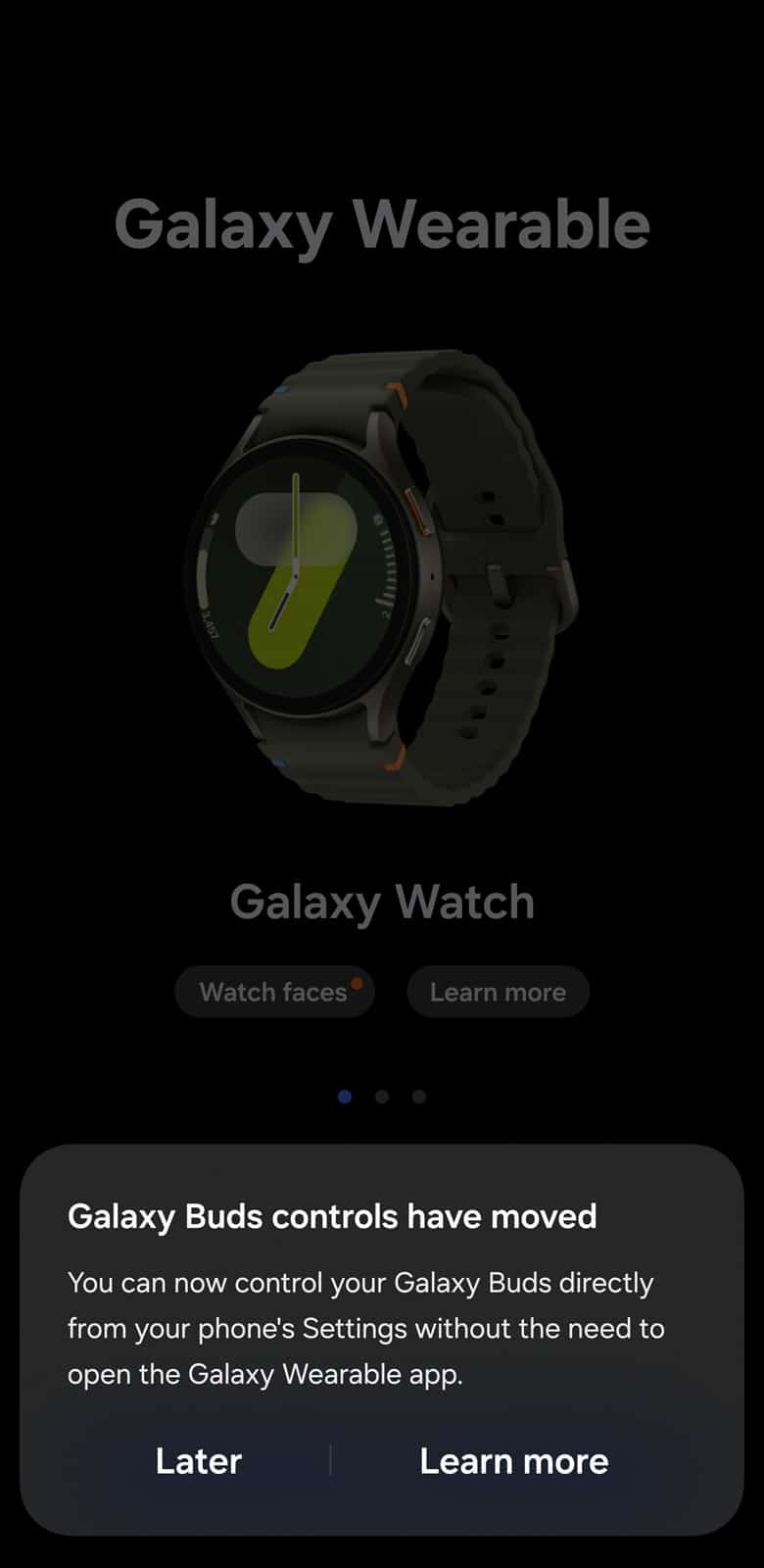
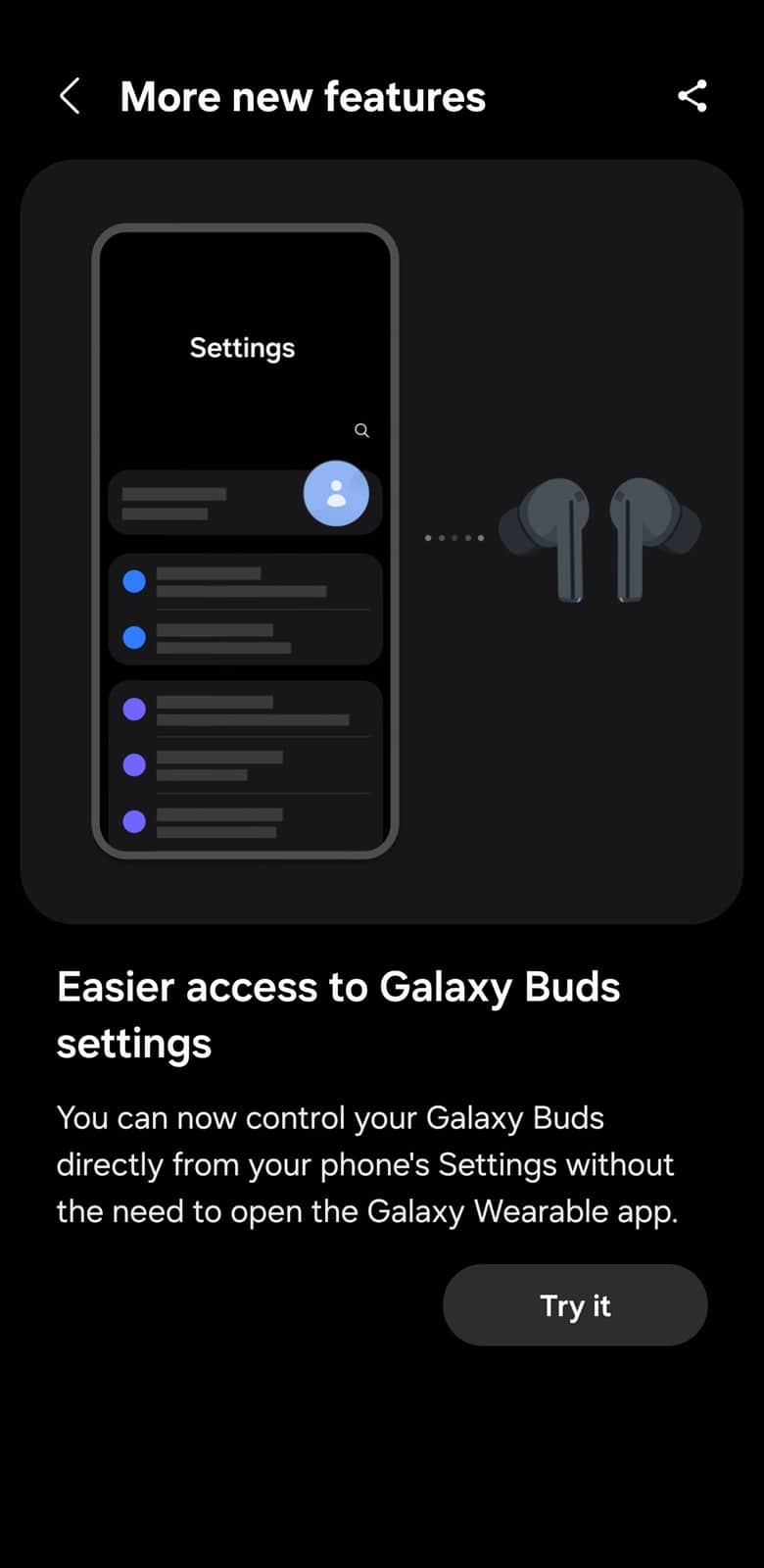
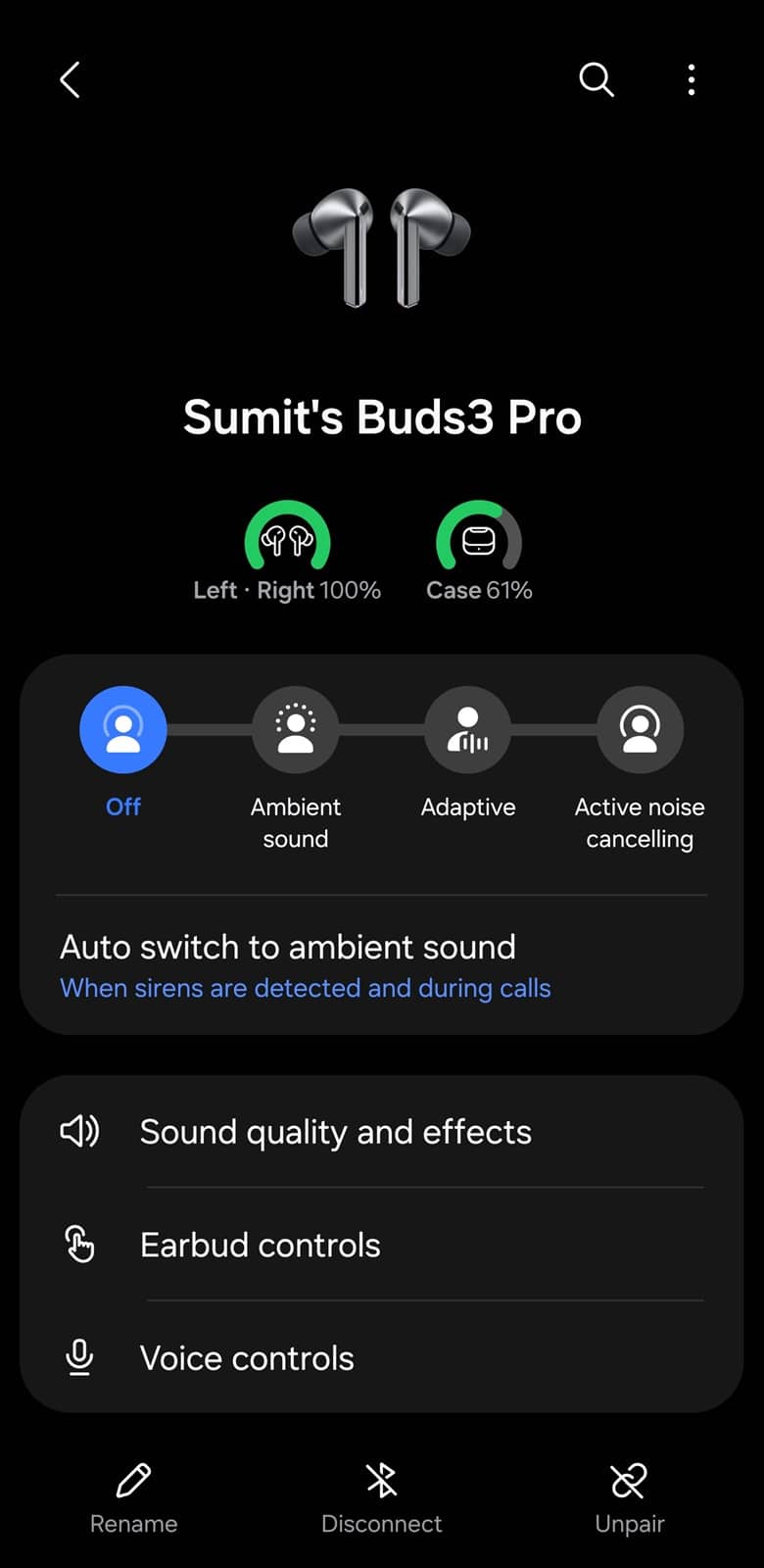
Samsung has been preparing this move for a while. Those behind-the-scenes preparations caused unexpected issues for users managing multiple Galaxy accessories. In the previous app version, many users found themselves stuck in the Buds Manager, unable to switch back to the Watch Manager interface (including some of us here at SammyGuru). The floating device switcher button was removed, and even disconnecting the Buds didn’t restore access to the main menu.
Now that Samsung has finalized the separation of Buds controls, those bugs are gone too. If you use both a Galaxy Watch and Galaxy Buds, the update brings better separation and stability. The Galaxy Wearable app now focuses solely on Galaxy Watch management, while the Bluetooth system menu handles Buds settings. Although the experience has changed, the end result is a more organized and stable device management setup.
You should install the new Galaxy Wearable version as soon as you can. In fact, we couldn’t open the app without updating it to the newer version today. You can still manually check for updates on the Galaxy Store.

Written by
Sumit AdhikariSumit, a life-long Samsung user, is passionate about technology and has been professionally writing on tech since 2017. He’s a mathematics graduate by education and enjoys teaching basic mathematics tricks to school kids in his spare time. Sumit believes in artificial intelligence and dreams of a fully open, intelligent and connected world.

Follow us on Google Discover & set us as a preferred source in Google News
Share this Post
___________________________


New Blog Posts
___________________________

First Set of Pixel 11 Pro XL Renders Are Here
Pixel 11 Pro XL CAD renders show minimal design changes

Is Samsung Preparing One UI 8.5 Beta for Galaxy Z Fold 5 and Flip 5?
Samsung may launch a One UI 8.5 beta program for its 2023 foldables

Galaxy S25 One UI 8.5 Beta May Run Longer Than Expected
Galaxy S25 series’ One UI 8.5 beta may stretch to 10 rounds







