
SmartThings June Update: Improved Routines, Map View Integration, Now Bar and More
SammyGuru is reader-supported. We have affiliate and sponsored partnerships, so we may earn a commission when you buy through links on our site — at no extra cost to you. Learn more.
Samsung has rolled out an update for its SmartThings app with version 1.8.33.25. The latest update brings several improvements across Home Life, Map View, Routines, and Location Share. Additionally, it adds support for the Now Bar and Live notifications. The newest build should be available to Galaxy users worldwide over the next few days.
What’s new in the SmartThings app June 2025 update?
SmartThings app lets users effortlessly connect and control their smart home devices in one place. The Korean firm aims to enhance its functionality as well as introduce meaningful features through regular updates. While the June 2025 update does not include new features, it brings several improvements to key segments for a seamless user experience.
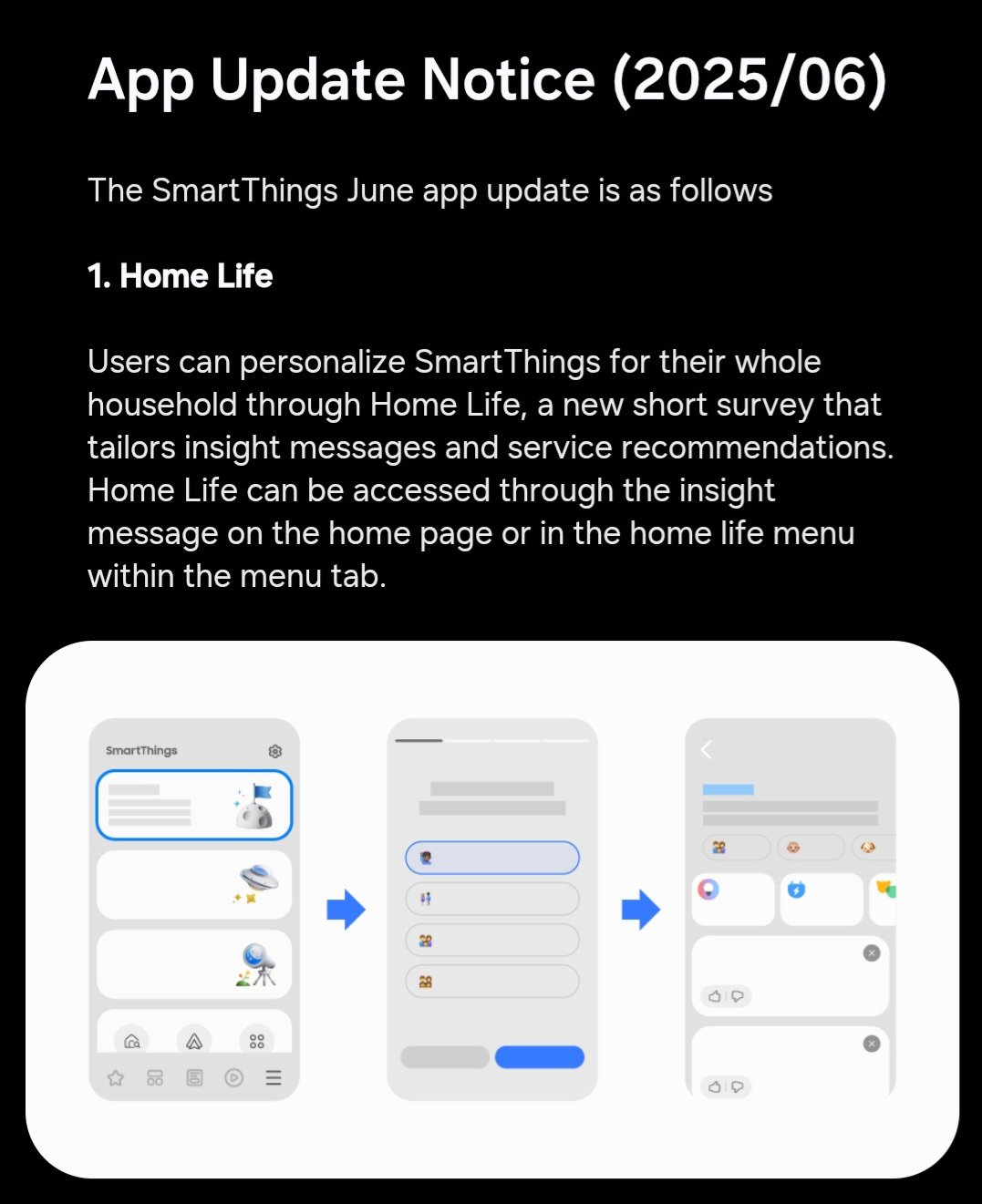
One of the notable improvements is in the Home Life section. It now allows you to take a short survey of the whole household to personalize their experience. Based on the answers, SmartThings will provide more useful suggestions and insights as per the household’s needs.
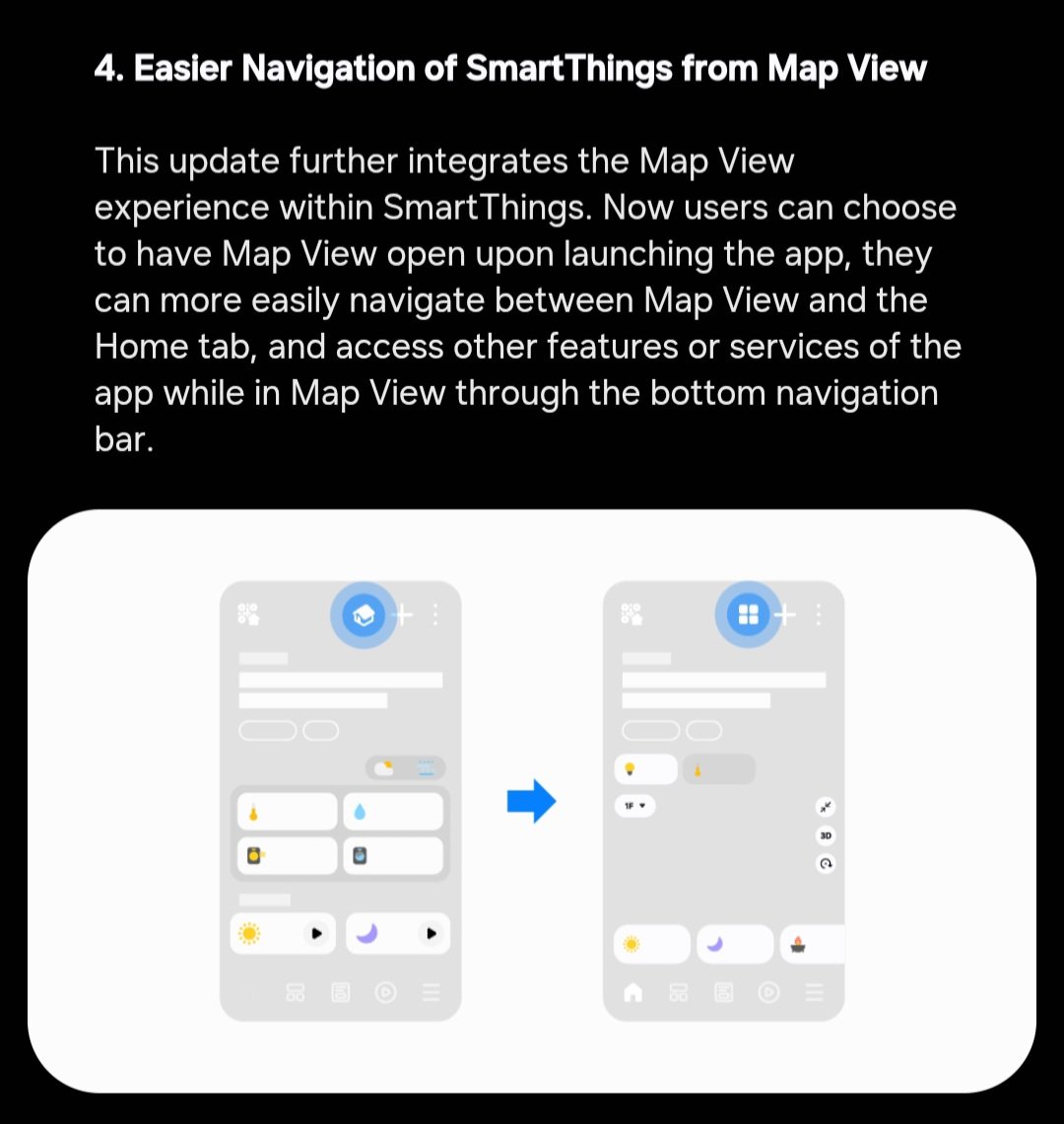
Another useful improvement comes to the Map View feature. Samsung has integrated the Map View experience within SmartThings for easier navigation. It now lets you effortlessly navigate between Map View and the Home tab.
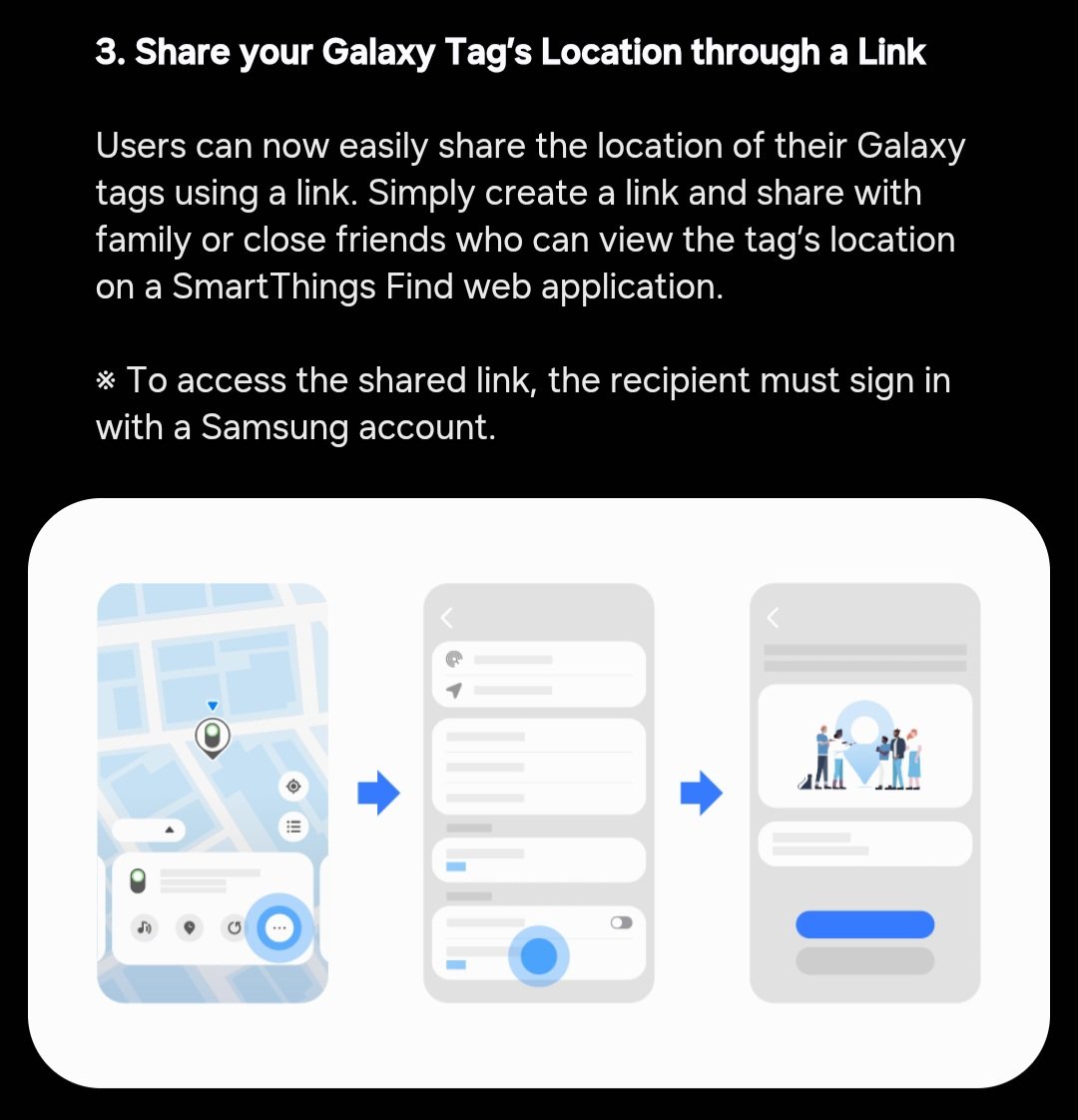
Location sharing has also become easier. You can now easily share the location of your Galaxy tags through a link. This allows your family or close friends to view the tag’s location via a link on their SmartThings Find web application.
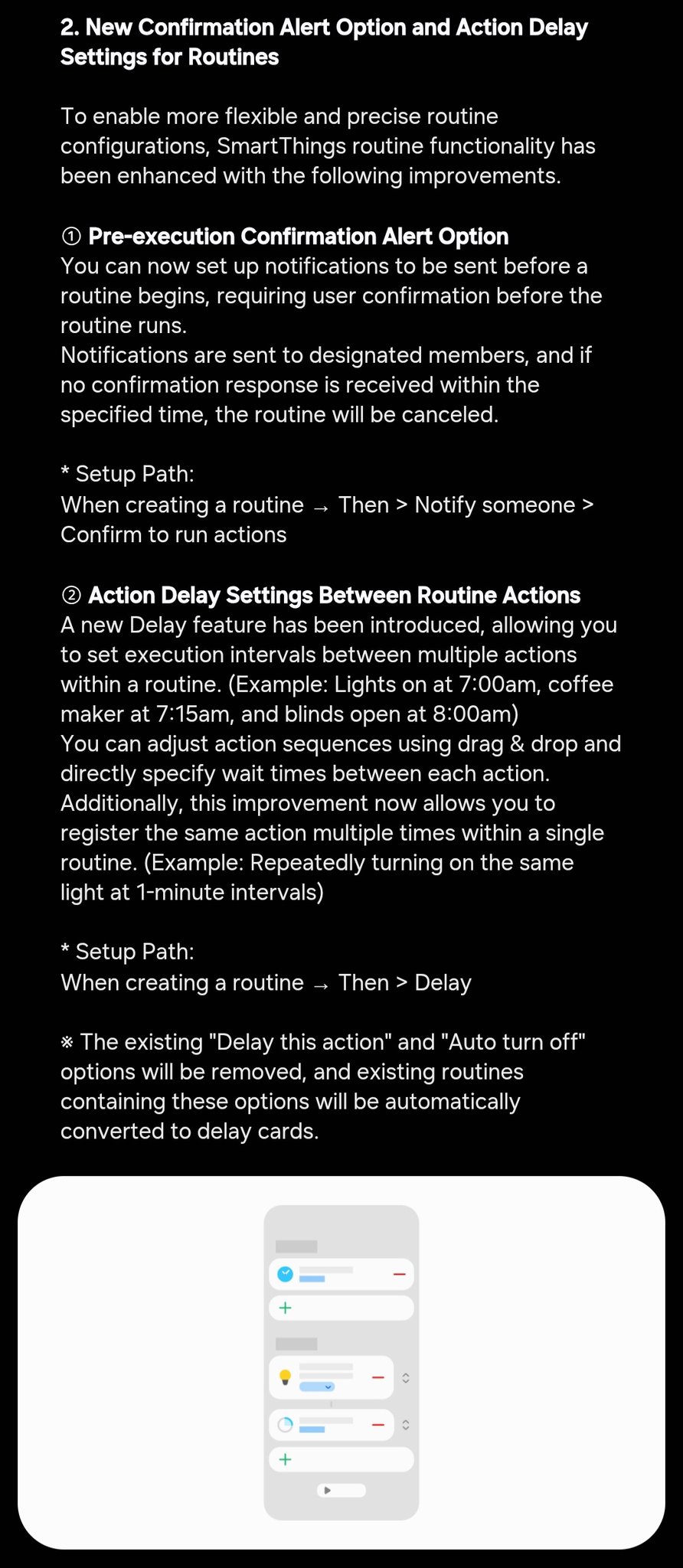
Furthermore, the Korean firm has made two major improvements to routines, allowing for more flexible and precise routine configurations. The first is the Pre-execution Confirmation Alert option, and the second is the Action Delay Settings Between Routine Actions. The former sends you notifications before a routine begins, while the latter allows you to set execution intervals between multiple actions within a routine.
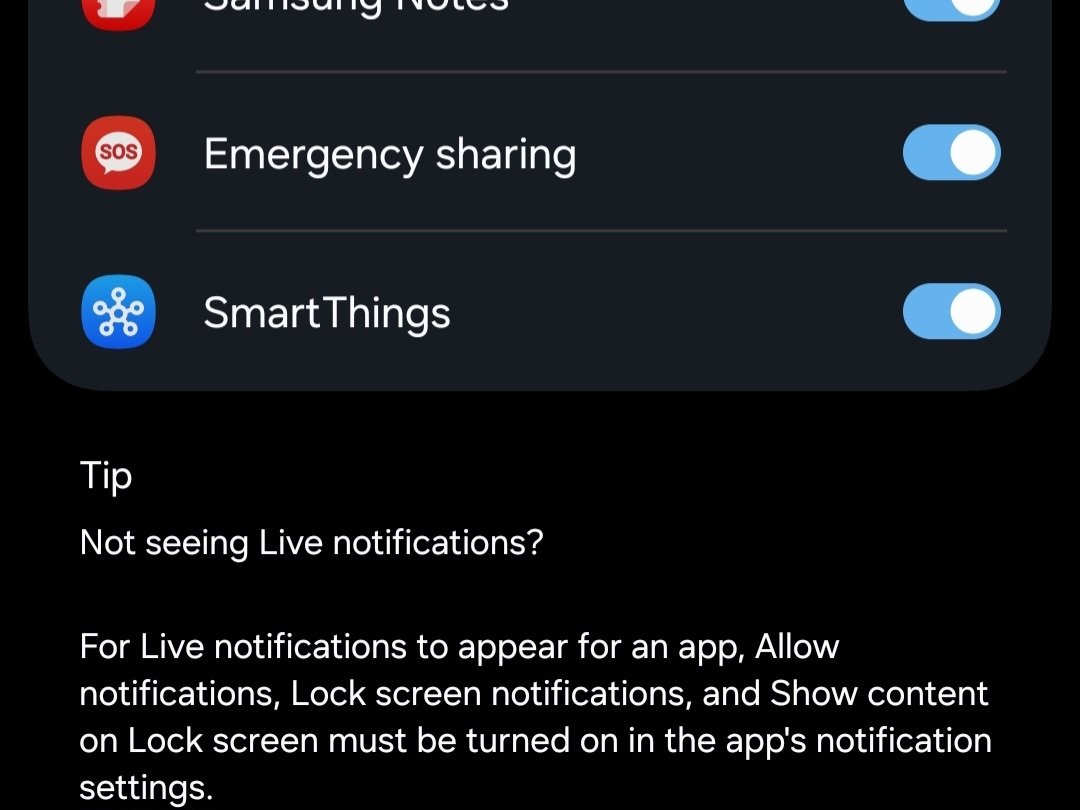
Last but not least, SmartThings now gains support for the Now Bar and Live notifications. This means you can get updates about what’s happening with smart home gadgets in real-time right from the home screen and lock screen.
If you want to explore these latest enhancements, you should update to the latest version of the SmartThings app as soon as possible. Since Samsung has just started rolling out the update, keep an eye on the Galaxy Store and Google Play Store — it could land on your device at any moment.

Written by
Binay KonwarBinay Konwar started his blogging journey in 2014 and has since written plenty of tech articles. At present, he is working as a News Writer at SammyGuru, covering everything about Samsung. He holds a Master's degree in Mathematics, but his real passion lies in tech and writing. In his free time, he enjoys playing chess and watching movies.

Follow us on Google Discover & set us as a preferred source in Google News
Share this Post
___________________________


New Blog Posts
___________________________

First Set of Pixel 11 Pro XL Renders Are Here
Pixel 11 Pro XL CAD renders show minimal design changes

Is Samsung Preparing One UI 8.5 Beta for Galaxy Z Fold 5 and Flip 5?
Samsung may launch a One UI 8.5 beta program for its 2023 foldables

Galaxy S25 One UI 8.5 Beta May Run Longer Than Expected
Galaxy S25 series’ One UI 8.5 beta may stretch to 10 rounds







