
Google’s AI Mode Arrives on Chrome and Web, Following Android and iOS
SammyGuru is reader-supported. We have affiliate and sponsored partnerships, so we may earn a commission when you buy through links on our site — at no extra cost to you. Learn more.
Google and AI are a match made in heaven. Google doesn’t shy away from dropping AI-powered features wherever it can. With the heat turning up from the likes of OpenAI’s ChatGPT and Perplexity, it’s clearly aiming to get its tools into as many hands as possible. After teasing AI mode on Android and iOS, Google is now quietly testing it on Chrome and the web too.
Google’s AI mode lands on Chrome Canary and web
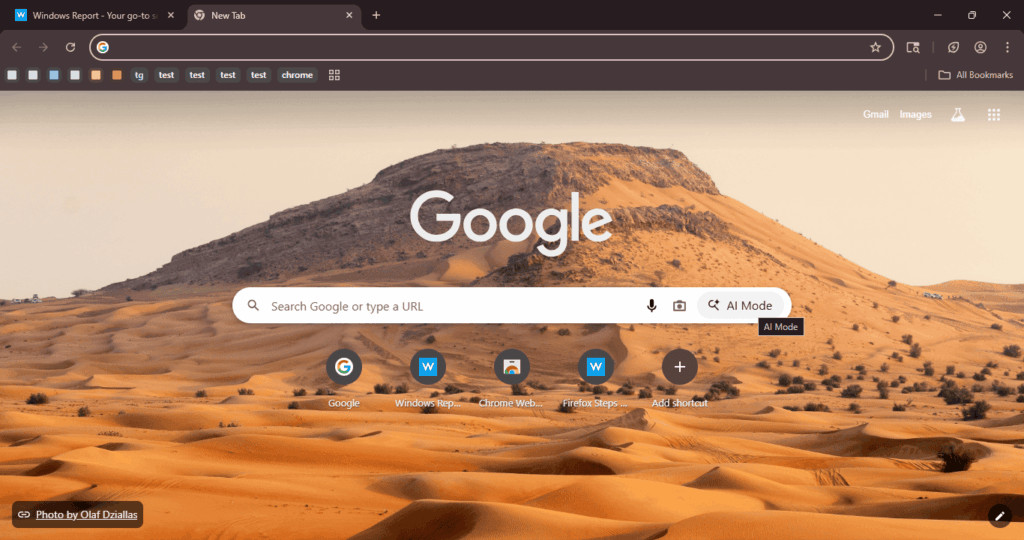
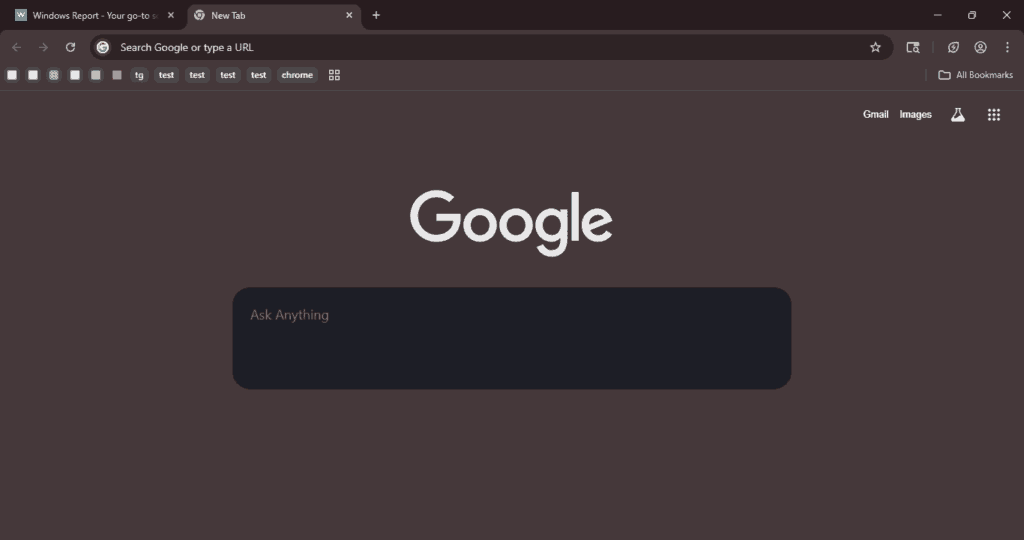
As Windows Report says, Google is now testing AI mode on Chrome Canary. For the uninitiated, Chrome Canary is basically an experimental version of the browser aimed mainly at developers and hobbyists. In this Canary build, there’s a new AI mode button right in the search bar on the New Tab page. Click it, and a text box pops up where you can ask questions and get AI-generated answers. Below, you’ll find screenshots showing the full look.
On top of that, Google is also testing AI mode on the web version (via 9to5Google), google.com. Here, the AI mode appears as a new shortcut next to the mic and Lens icons. It’s a pill-shaped button with a sparkle icon. Clicking it takes you to google.com/aimode where you can ask questions and view your search history in a side panel. Some users in Search Labs are already seeing it but it’s not live for everyone yet. I can confirm it’s running on my end and I managed to grab some screenshots.
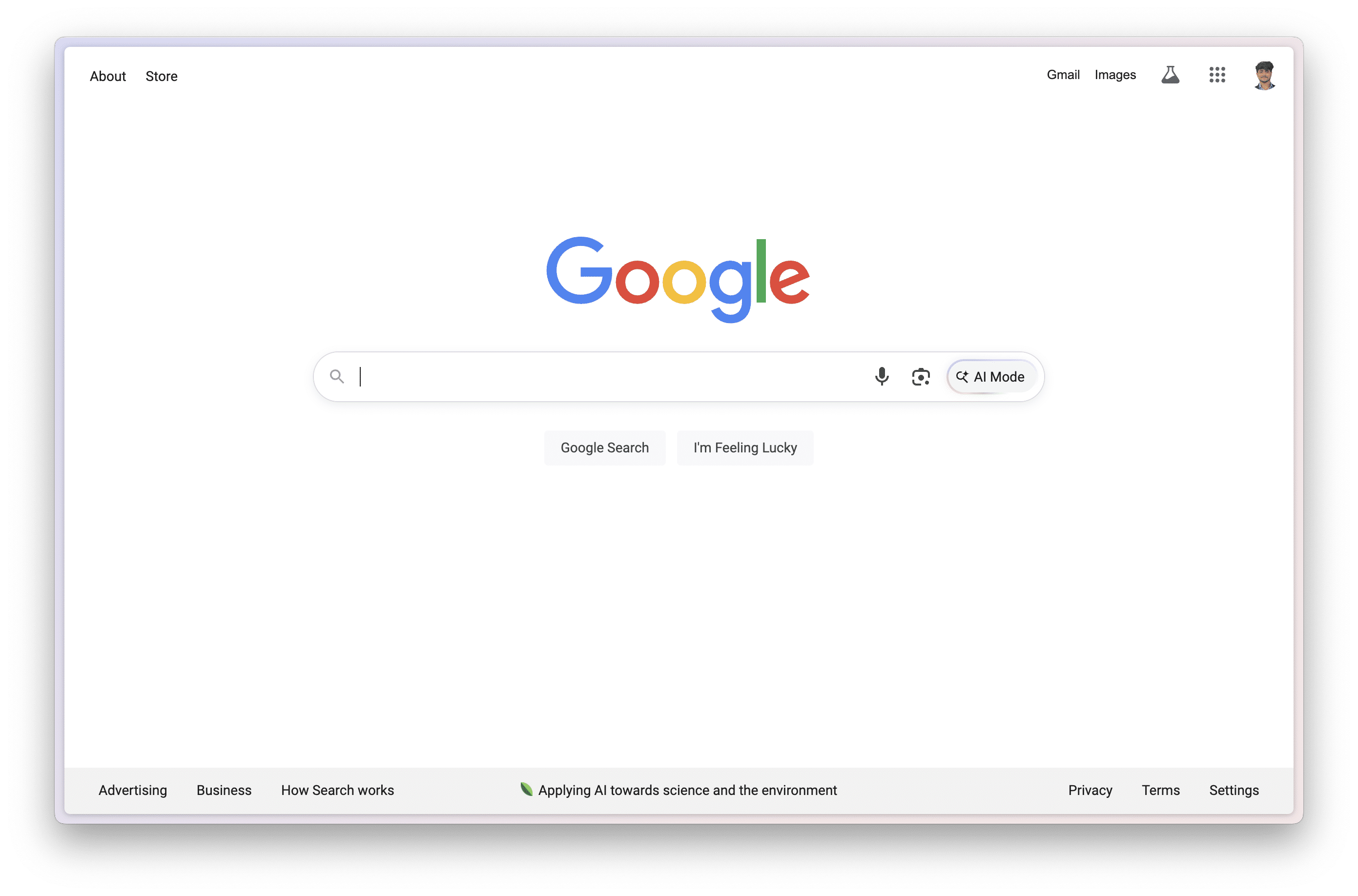
Instead of showing a list of links, AI Mode gives you a direct answer you can follow up on. This makes it way easier to find what you need, especially when you’re doing research or asking more complicated questions. But knowing Google’s history with AI, it might hallucinate every now and then.

Written by
Abhinav AnandAbhinav Anand is the News Editor at SammyGuru and a technology journalist based in New Delhi. Before joining SammyGuru, he contributed to numerous outlets, including Android Headlines, ExtremeTech, The Mac Observer, Financial Express, Economic Times, iGeeksBlog, KnowTechie, PhonesWiki, SlashGear, and more. You can reach him at abhinav@sammyguru.com.

Follow us on Google Discover & set us as a preferred source in Google News
Share this Post
___________________________


New Blog Posts
___________________________

First Set of Pixel 11 Pro XL Renders Are Here
Pixel 11 Pro XL CAD renders show minimal design changes

Is Samsung Preparing One UI 8.5 Beta for Galaxy Z Fold 5 and Flip 5?
Samsung may launch a One UI 8.5 beta program for its 2023 foldables

Galaxy S25 One UI 8.5 Beta May Run Longer Than Expected
Galaxy S25 series’ One UI 8.5 beta may stretch to 10 rounds







