
Google Quietly Rolls Out Auto Enhancement for Document Scanner
SammyGuru is reader-supported. We have affiliate and sponsored partnerships, so we may earn a commission when you buy through links on our site — at no extra cost to you. Learn more.
Smartphones are indeed handy for scanning documents. I don’t remember when was the last time I went to a shop and asked them if they scan documents. There have been a handful of apps as well as native functions to scan efficiently. And now it looks like, it’s only going to become better.
Scanning documents is much more convenient now
Google has quietly updated its document scanning feature on Android, making it faster and easier to use (via Android Authority). Now, when you scan a document using apps like Google Drive, Files by Google, or the Pixel Camera, the app will automatically enhance the image for better clarity. This means you no longer need to go into a filters menu to adjust brightness, contrast, or sharpness — the app does it for you right away.
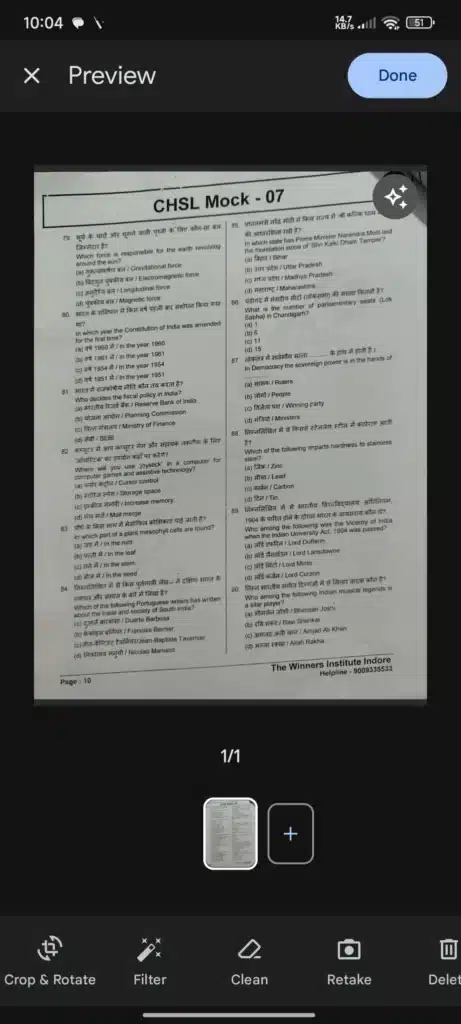
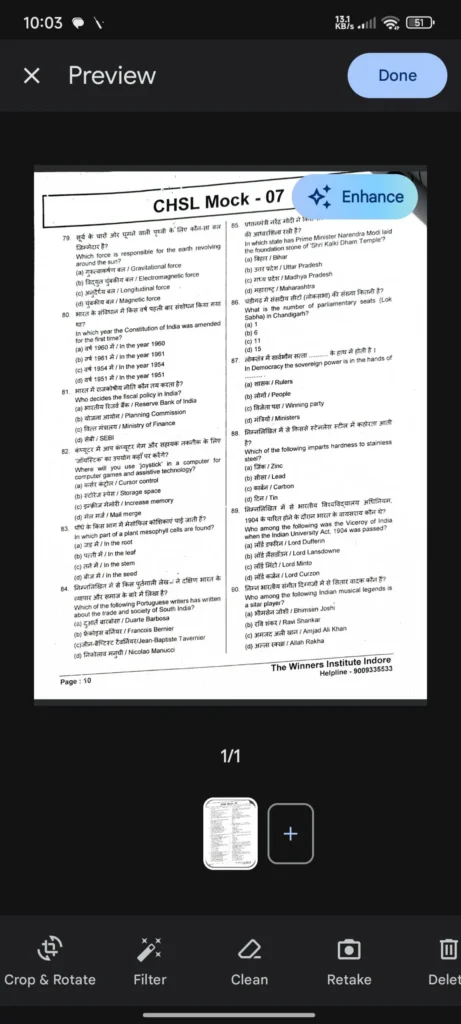
Credits: Android Authority
The update is part of Google’s machine learning system called MLKit, which helps apps understand and improve images. Thanks to this update, documents now look cleaner and more professional by default. If you don’t like how the enhanced version looks, a simple button in the top-right corner lets you remove the effect with one tap.
While this feature has been available in apps like Google Drive before, it required a few extra steps. Now, it’s automatic, saving time and making the process smoother for users who regularly scan receipts, notes, or paperwork.
The change was introduced through a recent update to Google Play Services (version 25.17.30). Many Android phones may already have it without users even realizing. It works behind the scenes to improve scanned documents across several Google apps.
This small tweak shows how Google is using artificial intelligence to improve everyday phone tasks. By making document scanning more automatic and user-friendly, Android users can get better results with less effort.

Written by
Abhinav AnandAbhinav Anand is the News Editor at SammyGuru and a technology journalist based in New Delhi. Before joining SammyGuru, he contributed to numerous outlets, including Android Headlines, ExtremeTech, The Mac Observer, Financial Express, Economic Times, iGeeksBlog, KnowTechie, PhonesWiki, SlashGear, and more. You can reach him at abhinav@sammyguru.com.

Follow us on Google Discover & set us as a preferred source in Google News
Share this Post
___________________________


New Blog Posts
___________________________

First Set of Pixel 11 Pro XL Renders Are Here
Pixel 11 Pro XL CAD renders show minimal design changes

Is Samsung Preparing One UI 8.5 Beta for Galaxy Z Fold 5 and Flip 5?
Samsung may launch a One UI 8.5 beta program for its 2023 foldables

Galaxy S25 One UI 8.5 Beta May Run Longer Than Expected
Galaxy S25 series’ One UI 8.5 beta may stretch to 10 rounds







